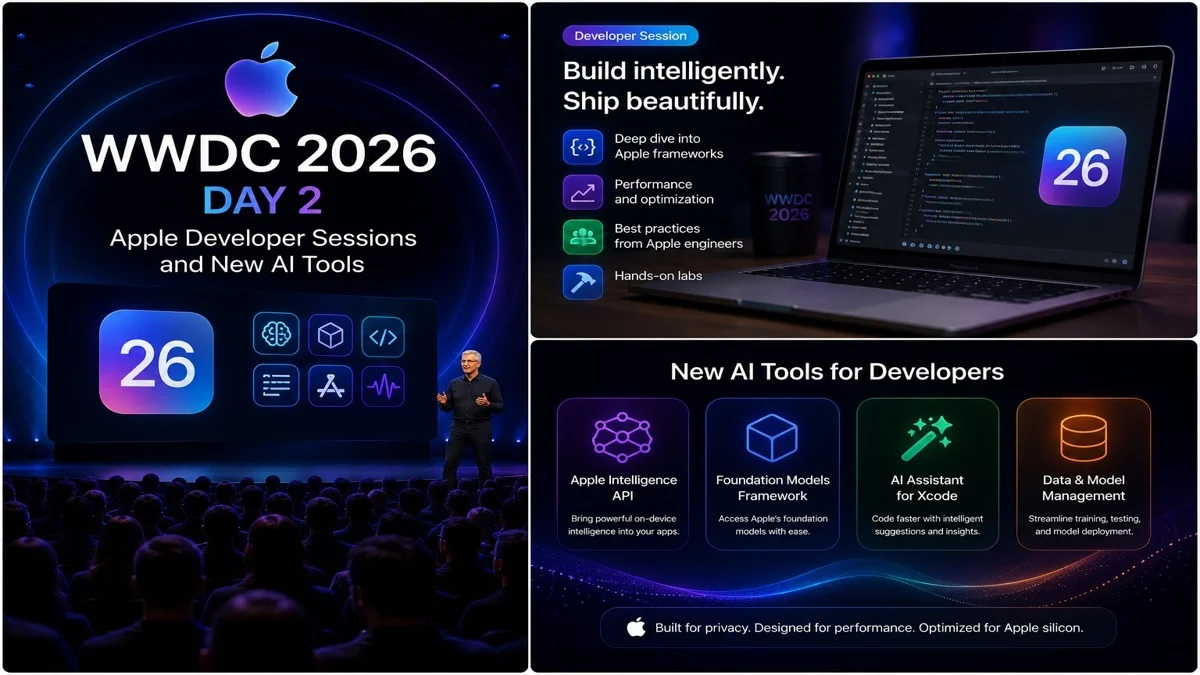
WWDC 2026 Day 2: Apple Developer Sessions and New AI Tools
 By Inflix
 WWDC 2026 Day 2 is not another big keynote, but it is still important for Apple users, app developers and iPhone fans. After Apple announced iOS 27, Siri AI, Apple Intelligence, Liquid Glass changes and platform updates on the first day, the second day focuses more on developer sessions, app tools, APIs and deeper software details.
This matters because the keynote shows the big features, but developer sessions explain how those features will actually work inside apps. For users, this means better apps, smarter iPhone tools, improved AI features and stronger software support later in the year.
For Mobile Verse readers, WWDC 2026 Day 2 is worth watching because it gives more context around Apple’s AI direction, iOS 27 beta, app development and the future of iPhone software.
What Is WWDC 2026 Day 2?
WWDC 2026 Day 2 is the second day of Apple’s Worldwide Developers Conference. The main keynote happens on the first day, while the following days focus on developer videos, technical sessions, design guidance and app-building tools.
Apple’s official WWDC26 page says the event includes more than 100 new videos about tools, technologies and design. These sessions help developers understand how to build apps for iOS 27, iPadOS 27, macOS 27, watchOS 27, visionOS 27 and tvOS 27.
For official event details, Apple lists WWDC26 sessions and videos on the Apple Developer WWDC page.
Why WWDC 2026 Day 2 Matters
WWDC 2026 Day 2 matters because Apple’s new features need developer support. Siri AI, Apple Intelligence, Photos tools, Shortcuts, Safari changes and design updates become more powerful when developers add support inside real apps.
The keynote gives users the headline features. However, developer sessions show how apps will change behind the scenes.
This is why Day 2 is important. It helps explain what Apple’s software announcements mean for app makers and everyday iPhone users.
No New Main Keynote on Day 2
Many users ask whether Apple holds another keynote on the second day. Usually, Apple does not. The main keynote and Platforms State of the Union happen on the first day.
After that, the event continues with sessions, labs, videos and developer-focused content.
So, WWDC 2026 Day 2 is not about surprise hardware or another major keynote. It is mainly about deeper technical details and app development.
Apple Intelligence Gets More Developer Focus
Apple Intelligence is one of the biggest topics across WWDC 2026. On Day 2, developers are expected to get more detail about how Apple’s AI tools can work inside apps.
This includes features such as writing support, image tools, personal context, app actions and system-level intelligence.
Apple wants AI to feel built into the device instead of appearing only inside one separate app. Therefore, developer support will be very important.
Siri AI and App Actions
Siri AI is one of Apple’s most important upgrades this year. The new assistant is expected to understand context better, respond more naturally and support deeper app actions.
For developers, this matters because apps may need to support new actions, intents or system features so Siri can do more useful tasks.
You can read our Mobile Verse guide on the Siri AI update to understand how Apple is changing its assistant for iPhone users.
iOS 27 Beta Details
WWDC 2026 Day 2 also helps developers understand the iOS 27 beta. The developer beta is mainly for app makers and testers who need early access before the final release.
This early version can include bugs, battery drain, app crashes and missing features. However, it gives developers time to test apps and prepare updates before iOS 27 launches publicly.
You can read our full guide on the iOS 27 beta before installing it on your iPhone.
Why Developers Need Early Access
Developers need early access because major iOS updates can change how apps behave. New APIs, design rules, privacy tools and system features may require app updates.
If developers wait until the public release, users may face broken apps or poor performance. That is why beta testing is important.
WWDC sessions help developers understand what changed and how to prepare their apps properly.
New Tools for App Makers
Apple’s developer sessions usually include guidance for Xcode, Swift, SwiftUI, app design, accessibility, performance and privacy.
These tools matter because they shape the apps people use every day. Better tools can lead to faster apps, smoother interfaces and stronger security.
For users, this may not sound exciting at first. However, better developer tools often lead to better iPhone, iPad, Mac and Apple Watch apps later.
iOS 27 App Improvements
iOS 27 brings several app-related improvements. Developers may need to support new design behaviour, Apple Intelligence features, Siri actions, Photos tools, Safari updates and Shortcuts changes.
This can help apps feel more connected to the system.
For example, an app may support smarter Siri commands, better automation or more useful search features if developers add the right support.
Apple’s AI Strategy for Apps
Apple’s AI strategy is different from simply adding a chatbot. The company wants intelligence to work across the system and inside apps users already trust.
This means app developers could play a major role in making Apple Intelligence useful.
If developers support Apple’s AI tools well, iPhone users may get smarter app actions, better summaries, improved automation and more helpful personal context.
Photos and AI Editing Tools
Photos AI tools are another important WWDC topic. Reports say Apple is expanding AI photo editing with more powerful features such as Clean Up, image expansion, reframing and natural language edits.
This matters because image editing is one of the most practical AI uses for normal users. People edit photos every day, and built-in tools can reduce the need for third-party apps.
You can also read our Mobile Verse post on Apple Intelligence features to see how Photos, Siri, Safari and writing tools fit together.
Liquid Glass Design Guidance
Liquid Glass is still part of Apple’s design direction, but iOS 27 adds more control and better readability. Developer sessions can help app makers understand how to use Apple’s new design style without hurting usability.
This matters because transparent design can look modern, but it can also make text harder to read if developers use it badly.
You can read our guide on Liquid Glass iOS 27 to understand what Apple changed after user complaints.
Accessibility and Readability
Accessibility is another important part of Apple’s developer guidance. Apps must work well for users with different needs, including people who need larger text, stronger contrast, voice control or screen reader support.
With Liquid Glass and AI tools becoming more common, accessibility becomes even more important.
Good design should look modern, but it should also remain clear, readable and easy to use.
Safari and Web App Updates
Safari is also part of the iOS 27 conversation. Apple is expected to improve browsing, tab organisation and web features.
For developers, Safari updates can affect websites, web apps, extensions and performance.
This matters for Mobile Verse readers too because better Safari tools can improve how users browse news, read articles and use web services on iPhone.
Shortcuts and Automation
Shortcuts may become easier to use with Apple Intelligence. If users can describe automations in natural language, more people may start using Shortcuts.
Developers can also support app actions that work with Shortcuts and Siri.
This could make iPhone automation more useful for normal users, not only advanced Apple fans.
Privacy Tools for Developers
Privacy remains one of Apple’s main software messages. WWDC sessions often explain new privacy rules, permission controls and data-handling requirements.
This matters because AI features may interact with personal data such as messages, photos, emails and app content.
Apple needs developers to follow clear privacy standards so users can trust new AI-powered features.
iPadOS, macOS and visionOS Sessions
WWDC 2026 Day 2 is not only about iPhone. Apple also gives developers more details about iPadOS 27, macOS 27, watchOS 27, tvOS 27 and visionOS 27.
visionOS 27 is especially important because Apple is adding Siri AI and new Vision Pro features. Reports say visionOS 27 includes Siri AI, widgets, curved virtual windows and better notifications.
This shows that Apple wants AI to work across its full ecosystem, not only on iPhone.
What Day 2 Means for iPhone Users
For normal iPhone users, WWDC 2026 Day 2 means the features announced on Day 1 are moving closer to real apps.
Developers now have tools and guidance to support iOS 27 properly. As a result, apps should become more compatible with Apple Intelligence, Siri AI, Liquid Glass and new system features.
So, even if Day 2 is more technical, it still affects the final iPhone experience.
What Day 2 Means for Developers
For developers, Day 2 is one of the most useful parts of WWDC. It gives them time to study documentation, watch sessions, test the beta and update their apps.
Developers can learn how to use new APIs, improve performance, support accessibility and prepare for Apple’s next software cycle.
This is why WWDC is more than a keynote. It is a full week of app-building education.
Should Users Follow WWDC After the Keynote?
Yes, users should follow WWDC after the keynote if they care about Apple software. The first day gives the big announcements, but the rest of the week often reveals smaller details that matter later.
For example, compatibility notes, beta changes, developer tools and feature limits can appear after the main keynote.
That is why WWDC 2026 Day 2 is still worth covering.
How This Fits the Apple AI Push
WWDC 2026 Day 2 fits Apple’s bigger AI push. Apple is trying to make Siri, Apple Intelligence and app actions more useful across the ecosystem.
The company is not only showing AI features to users. It is also giving developers the tools needed to support them.
If developers adopt these tools quickly, Apple’s AI features could feel much stronger by the time iOS 27 launches publicly.
Final Thoughts
WWDC 2026 Day 2 may not have another major keynote, but it is still important. The focus shifts from big announcements to developer sessions, app tools, AI support and deeper technical details.
For users, this means better apps, stronger Siri AI support, improved Apple Intelligence features and a clearer iOS 27 experience.
Overall, Day 2 shows that Apple’s 2026 software push is not only about announcements. It is about helping developers build the apps and features that users will actually use later.
FAQs
What happened on WWDC 2026 Day 2?
WWDC 2026 Day 2 focused on Apple developer sessions, iOS 27 tools, Apple Intelligence support, Siri AI features and app development guidance.
Was there another Apple keynote on WWDC 2026 Day 2?
No, Apple’s main keynote happened on the first day. WWDC 2026 Day 2 mainly focused on technical sessions, developer videos and software tools.
Why is WWDC 2026 Day 2 important?
WWDC 2026 Day 2 is important because developers learn how to support new Apple features inside apps, including iOS 27, Siri AI and Apple Intelligence tools.
Did Apple discuss iOS 27 beta during WWDC 2026 Day 2?
Yes, WWDC 2026 Day 2 included developer-focused guidance around iOS 27 beta testing, app compatibility and new software tools.
Is WWDC 2026 Day 2 useful for normal iPhone users?
Yes, WWDC 2026 Day 2 is useful because developer work affects app quality, iOS 27 feature support and the final iPhone experience.