iOS 27 Beta: Should You Install It on Your iPhone?
 By Inflix
 iOS 27 beta is now one of the biggest topics for iPhone users after Apple’s latest software announcement. Many people want to try Siri AI, Apple Intelligence upgrades, Liquid Glass improvements and new iPhone features before the final release.
However, installing beta software is not always the best idea. The iOS 27 beta gives early access, but it can also bring bugs, battery drain, app crashes and performance issues.
So, should you install it now or wait for the stable version? The answer depends on how you use your iPhone and whether you can handle problems during daily use.
What Is the iOS 27 Beta?
The iOS 27 beta is a pre-release version of Apple’s next major iPhone software update. Apple releases beta versions so developers and early testers can try new features before the final public launch.
This beta lets users test new iOS 27 features early, including Siri AI improvements, Apple Intelligence tools, Liquid Glass refinements, Photos upgrades, Safari changes and performance updates.
For official beta access, Apple provides information through the Apple Beta Software Program, where users can learn about public beta testing and upcoming software releases.
iOS 27 Beta Release Timeline
Apple has started the iOS 27 beta cycle with the developer beta. This version usually arrives first because app developers need time to test apps before the final release.
The public beta is expected later, giving normal users a more stable way to test the update. The final stable version should arrive later in the year, usually around Apple’s new iPhone launch window.
This timeline matters because the first beta is usually the riskiest. Later versions often fix bugs and improve stability.
Developer Beta vs Public Beta
The developer beta is mainly for app makers and advanced users. It arrives early, but it can include more bugs.
The public beta is usually safer because Apple releases it after some early problems have already been found. However, it is still test software, so it can still cause issues.
For most iPhone users, the public beta is the better choice if they really want to test iOS 27 before the final release.
Should You Install the iOS 27 Beta?
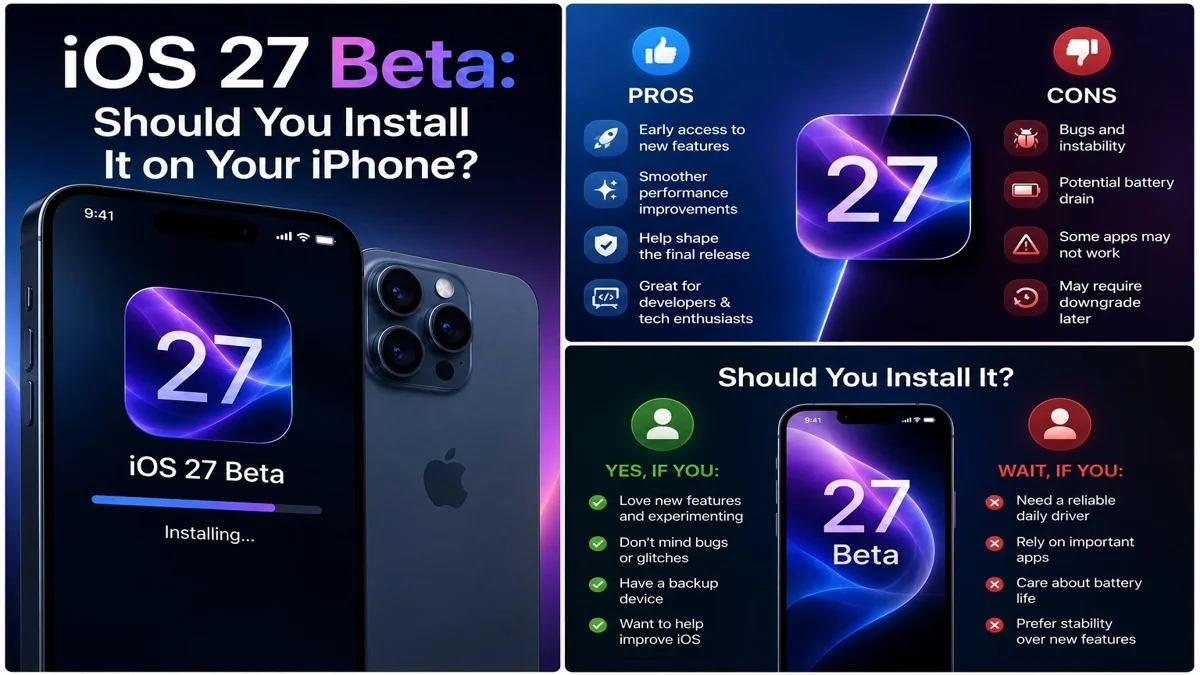
You should install the iOS 27 beta only if you understand the risks. It is not a good idea for everyone.
If you use your iPhone for work, banking, business calls, travel, daily payments or important communication, you should avoid installing the beta on your main device.
However, if you have a spare iPhone and want to test new features early, the beta can be useful.
Why Most Users Should Wait
Most users should wait because stable software is safer. Beta versions can cause small or serious problems, and those issues can make daily phone use frustrating.
For example, your iPhone may heat up, lose battery faster, crash apps or behave strangely after installing the beta.
Waiting for the stable release is the safest option because Apple will fix many early issues before the public launch.
Main iOS 27 Beta Risks
The biggest iOS 27 beta risks include battery drain, app crashes, overheating, missing features and unexpected bugs.
Some banking apps, work apps or payment apps may not work properly during early beta testing. This can be a serious issue if you rely on your iPhone every day.
That is why users should never install beta software without backing up their data first.
Battery Life Problems
Battery drain is one of the most common beta problems. Early versions of iOS often run background processes, collect diagnostics and test new features.
As a result, your iPhone may lose battery faster than usual. It may also feel warmer during normal use.
This problem usually improves in later beta versions, but it can still be annoying if your phone is your main daily device.
App Crashes and Compatibility Issues
Apps may crash on beta software because developers have not fully updated them yet. Some apps may open slowly, freeze or stop working completely.
This can affect social media apps, banking apps, editing apps, games and business tools.
If you need your apps to work reliably, wait for the stable iOS 27 release.
Performance Can Feel Unstable
Early beta software can feel slower than normal. Animations may stutter, apps may take longer to open and some features may not work correctly.
This does not always mean your iPhone is damaged. It usually means the software still needs optimisation.
Apple improves performance across the beta cycle, so later versions usually feel smoother.
Why You Must Back Up First
Before installing the iOS 27 beta, back up your iPhone. This is very important because beta software can create problems that force you to restore your device.
You can back up using iCloud or a computer. A backup protects your photos, messages, app data and settings.
Do not skip this step. If something goes wrong, your backup can save you from losing important data.
How to Install the iOS 27 Beta Safely
If you still want to install the beta, follow a careful process. First, make sure your iPhone supports iOS 27. Then, create a full backup.
After that, join the correct Apple beta programme and check the beta update option inside Settings.
In most cases, the path is:
Settings > General > Software Update > Beta Updates
Then select the available iOS 27 beta option and follow the on-screen steps.
Who Should Install It?
The iOS 27 beta makes sense for developers, tech reviewers, app testers and advanced users who understand software risks.
It is also useful for people who have a spare iPhone and want to explore features before everyone else.
However, normal users should be careful. Early access sounds exciting, but stable daily use is usually more important.
Who Should Avoid It?
You should avoid the beta if your iPhone is your main device. You should also avoid it if you depend on your phone for work, business, school, banking, travel or emergencies.
Parents should also avoid installing it on a child’s main phone because bugs can affect safety features, Screen Time settings or communication apps.
If reliability matters, wait for the final release.
iOS 27 Beta Features to Try
The iOS 27 beta includes several features that users may want to test early. These include Siri AI improvements, Apple Intelligence tools, Liquid Glass design controls, Photos upgrades and performance changes.
These features make the beta attractive, especially for Apple fans who want to try everything first.
You can read our Mobile Verse guide on the iOS 27 update to understand the biggest features before installing the beta.
Siri AI in the Beta
Siri AI is one of the main reasons people want to install the beta. Apple’s assistant is becoming more conversational, more context-aware and more useful across apps.
However, beta versions may not show the final Siri AI experience. Some features may arrive later, work only in selected regions or require newer iPhones.
You can read our full guide on the Siri AI update to understand what Apple is changing.
Apple Intelligence Feature Limits
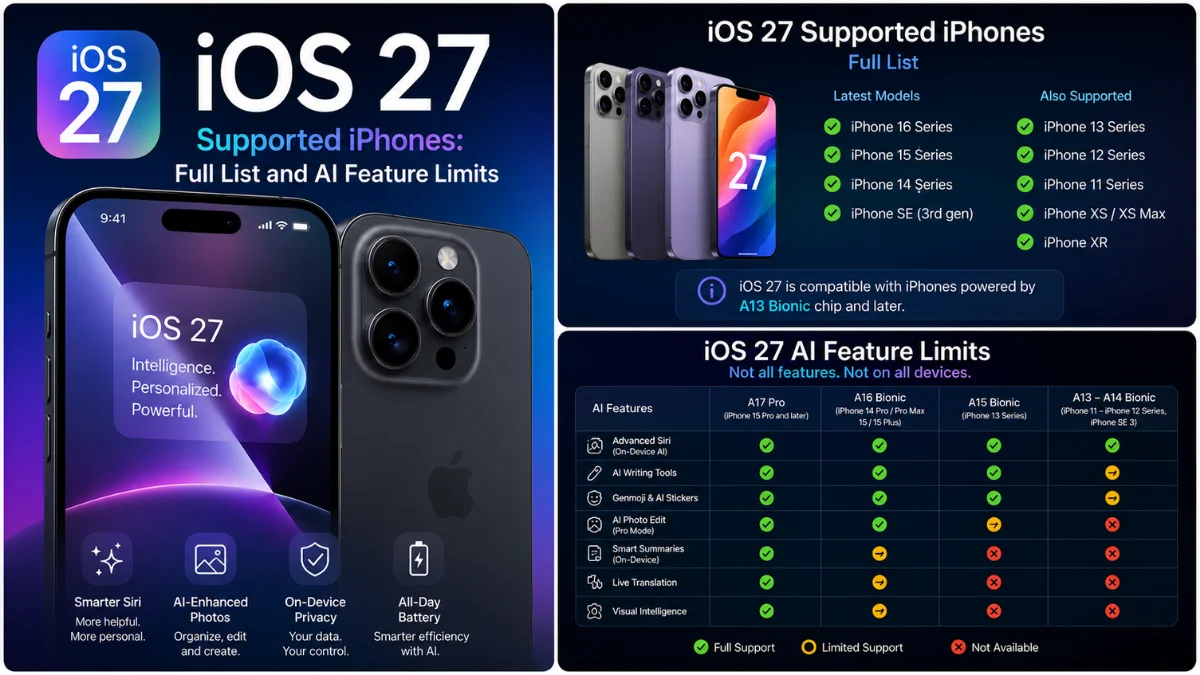
Not every iPhone will get every Apple Intelligence feature. Some tools need newer chips, more memory and stronger on-device processing.
This means you may install the iOS 27 beta and still miss some AI features if your iPhone is older.
Before installing, check our guide on iOS 27 compatibility to understand which iPhones may get the best experience.
Public Beta Is Safer Than Developer Beta
The public beta is usually a better option for normal users. It comes later, so Apple has more time to fix early developer beta problems.
It can still include bugs, but it usually feels more stable than the first developer version.
If you really want to test iOS 27 early, waiting for the public beta is the smarter move.
Can You Go Back to iOS 26?
You may be able to downgrade from iOS 27 beta to iOS 26, but the process can be difficult. It may require a computer, a restore process and a backup made before installing the beta.
This is another reason to back up first. If you only back up after installing the beta, that backup may not work properly with the older iOS version.
For most users, downgrading is not simple enough to treat casually.
Should You Install It on a Spare iPhone?
Yes, a spare iPhone is the best place to test the iOS 27 beta. This gives you early access without risking your main device.
You can test new features, check performance and explore Apple Intelligence tools while keeping your daily phone safe.
This is the best setup for bloggers, testers and Apple fans.
What to Do Before Installing
Before installing the beta, do these things:
- check iPhone compatibility
- back up your device
- make sure important apps support beta software
- charge your iPhone
- keep enough free storage
- read known issue reports
- avoid installing before travel or work deadlines
These simple steps can reduce risk and make the beta experience safer.
Is the iOS 27 Beta Worth It?
The iOS 27 beta is worth it for users who love testing new software and understand the risks. It gives early access to Apple’s latest iPhone features before the final release.
However, it is not worth it for users who need a reliable phone every day.
For most people, the stable public release will be the better choice.
Final Thoughts
The iOS 27 beta is exciting because it lets users try Siri AI, Apple Intelligence features, Liquid Glass changes and new iPhone tools early. However, early access comes with real risks.
If you have a spare iPhone, testing the beta can be a good idea. If your iPhone is your main device, waiting is safer.
Overall, most users should avoid the developer beta, consider the public beta only if they accept bugs, and install the stable version when Apple releases it later in the year.
FAQs
What is the iOS 27 beta?
The iOS 27 is a test version of Apple’s next iPhone software update, released before the final public launch.
Is the iOS beta safe to install?
It can be safe for testing, but it may include bugs, battery drain, app crashes and performance issues.
Should I install iOS 27 beta on my main iPhone?
No, most users should avoid installing it on their main iPhone because beta software can be unstable.
When will the iOS 27 public arrive?
The public beta is expected after the developer beta, with reports pointing to July.
Can I remove the iOS 27 beta later?
Yes, but downgrading can be difficult and may require restoring your iPhone from a backup.
Should I wait for the final iOS 27 release?
Yes, most users should wait for the stable public release because it will be safer and more reliable.