S25 AI update is now rolling out with new Galaxy features, and this June release is more useful than a normal security patch. The latest update brings new Galaxy AI tools that help users manage notifications, summarise alerts, and understand files more quickly.
The update is currently reported for the Galaxy S25 series in South Korea, with a wider rollout expected in more regions soon. According to reports, the June update adds Prioritize Notifications, Summarize Notifications, and Show file summaries to the Galaxy S25 lineup. It also includes the June 2026 Android security patch.
For Galaxy S25 users, this is a useful upgrade because it brings features that were missing from the earlier One UI 8.5 rollout. Therefore, the update makes Samsung’s 2025 flagship feel closer to the newer Galaxy S26 experience.
Samsung usually shares monthly security details through its official update pages, and users can also check Samsung’s latest security information on the Samsung Mobile Security Updates page. Therefore, this June rollout is important not only for new Galaxy AI tools but also for keeping the Galaxy S25 series safer and more stable.
Galaxy S25 June Update: What Is New?
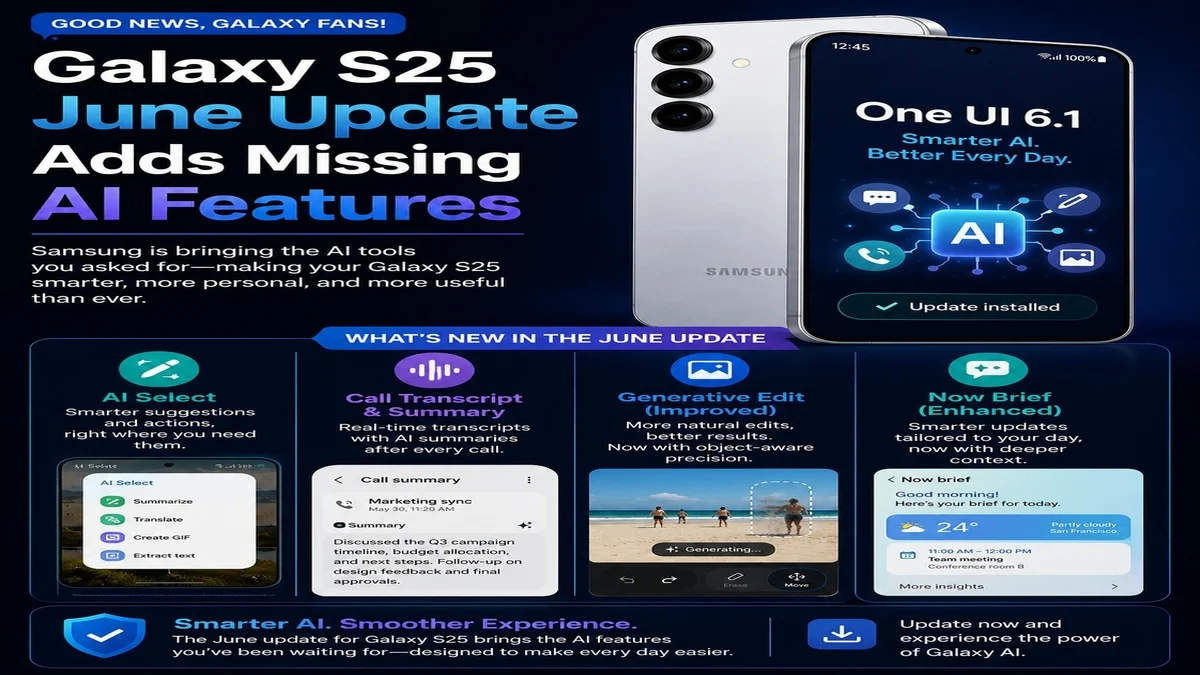
The biggest change in the Galaxy S25 June update is the arrival of new Galaxy AI features. These tools are designed to reduce notification overload and make daily phone use easier.
The update reportedly includes:
Prioritize Notifications Summarize Notifications Show file summaries June 2026 Android security patch General performance and stability improvements
This is important because the Galaxy S25 already received One UI 8.5 earlier, but some AI features were not included at that time. Now, Samsung is filling that gap with the June software update.
Prioritize Notifications Makes Important Alerts Easier to See
One of the most useful additions is Prioritize Notifications. This Galaxy AI feature helps move important alerts higher in the notification panel.
For example, if your phone receives many messages, app alerts, emails, shopping updates, and social notifications, important alerts can easily get lost. However, with Prioritize Notifications, Galaxy AI can highlight the notifications that may need your attention first.
This can be helpful for work emails, urgent messages, travel alerts, banking notifications, or important app reminders. As a result, the Galaxy S25 June update makes the notification panel smarter and less messy.
Summarize Notifications Can Save Time
Another key feature in the Samsung Galaxy S25 June update is Summarize Notifications. This tool can shorten long notification threads into easier summaries.
This feature may be useful when you receive several messages from the same app or long conversations from group chats. Instead of reading every single alert, you can get a quick idea of what happened.
For busy users, this is a practical AI upgrade. In addition, it shows how Samsung is using Galaxy AI for everyday phone tasks rather than only camera or photo editing features.
Show File Summaries Adds AI Help for Documents
The June update also adds Show file summaries. This feature can create summaries for supported files such as PDFs, TXT files, and voice recordings, according to reports.
This can be very helpful for students, office workers, business users, and anyone who handles documents on their phone. For example, you may be able to open a long PDF and quickly understand the main points without reading the full file.
However, availability can depend on region, language, device settings, and app support. Therefore, some users may see these tools later than others.
Galaxy S25 June Update Also Improves Security
Although the AI features are the main attraction, the Galaxy S25 June update also includes the June 2026 Android security patch.
Security updates are important because they fix vulnerabilities, improve system protection, and help keep your personal data safer. Android Central reported that the update also addresses multiple Android security issues, including critical and high-level vulnerabilities.
So, even if you are not excited about the new AI tools, this update is still worth installing because of the security improvements.
Which Galaxy S25 Models Are Getting the Update?
The update is expected for the Galaxy S25 series, including:
The first rollout has been reported in South Korea. However, Samsung usually expands monthly updates to more markets in stages. Therefore, users in the UK, Europe, the US, India, and other regions may need to wait a little longer before the update appears on their device.
How to Check for the Galaxy S25 June Update
You can manually check for the update by following these steps:
Open Settings Tap Software update Tap Download and install Wait for your phone to check for the latest update Install the update if it is available
Before installing, make sure your Galaxy S25 has enough battery and storage. In addition, it is always better to use a stable Wi-Fi connection for large updates.
Why This Update Matters for Galaxy S25 Users
The Galaxy S25 June update matters because it is not just a small patch. Instead, it brings meaningful AI features that can improve everyday use.
Many users check notifications dozens of times a day. Therefore, AI notification summaries and priority alerts can make a real difference. File summaries also make the phone more useful for productivity, especially for people who read documents, notes, and recordings on their Galaxy device.
In simple words, Samsung is making the Galaxy S25 smarter after launch. That is good news for users because it shows that Galaxy AI features are continuing to improve through software updates.
Galaxy S25 June Update vs One UI 8.5: What Changed?
The Galaxy S25 series previously received One UI 8.5, but several Galaxy AI features were missing from that rollout. The June update now adds some of those missing tools.
This means the Galaxy S25 experience is becoming more complete. It also suggests that Samsung may continue to bring selected newer AI features to older flagship phones through future updates.
However, not every Galaxy S26 feature has arrived on the Galaxy S25 yet. Some reports mention that certain tools, such as Now Nudge, may still be missing.
Should You Install the Galaxy S25 June Update?
Yes, if the update is available on your Galaxy S25, it is worth installing.
The update adds new Galaxy AI features, improves notification management, brings file summaries, and includes the latest Android security patch. Moreover, these updates usually improve overall system stability.
However, if you depend heavily on your phone for work, you may want to install it when you have time to restart your device and check your main apps after the update.
For more Android and Samsung software coverage, you can also read our latest updates on One UI 9 Beta 2 June security patch. In addition, Mobile Verse regularly covers Galaxy updates, Android features and AI tools, so this Samsung Galaxy S25 AI update fits well with our recent mobile software coverage.
Final Thoughts
The Galaxy S25 June update is one of the more useful monthly updates Samsung has released recently. It adds practical Galaxy AI features that can help users save time, manage notifications, and summarise files directly on the phone.
While the update has started in South Korea, more regions should receive it soon. Therefore, Galaxy S25 users should keep checking the software update section over the coming days.
Overall, this update makes the Galaxy S25 feel smarter, more productive, and more secure.
FAQs
What is new in the Galaxy S25 June update?
The Galaxy S25 June update adds new Galaxy AI features, including Prioritize Notifications, Summarize Notifications, and Show file summaries. It also includes the June 2026 Android security patch.
Is the Galaxy S25 June update available in the UK?
The update has first been reported in South Korea. However, Samsung usually expands updates to other regions in stages, so UK users may receive it soon.
How do I install the Galaxy S25 June update?
Go to Settings, then Software update, and tap Download and install. If the update is available in your region, your phone will show it.
Does the Galaxy S25 June update include AI notification summaries?
Yes, reports say the update adds AI notification tools, including summarisation and prioritisation.
Is this Galaxy S25 update worth installing?
Yes, it is worth installing because it brings new AI features and important security fixes. It can also improve the overall software experience.