
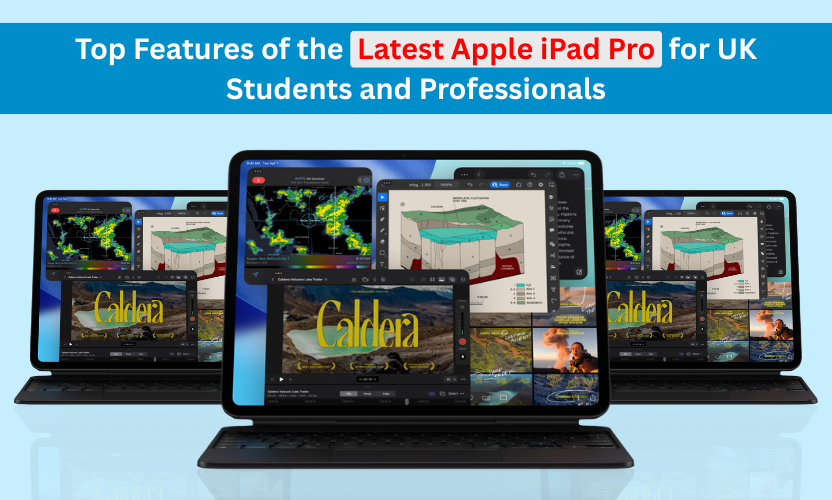
Top Features of the Latest Apple iPad Pro for UK Students and Professionals
 By Inflix
 Introduction
Apple continues to dominate the tablet market, and the latest Apple iPad Pro features show exactly why. With powerful hardware, a stunning display, and advanced productivity tools, the device has become a popular choice for both UK students and professionals who need performance and portability.
The iPad Pro, unlike many other tablets, prioritises productivity, creativity, and multitasking. Whether you are taking lecture notes, editing videos, designing graphics, or managing business tasks, the iPad Pro delivers laptop-level performance in a portable form.
In this guide, we will explore the top features of the latest Apple iPad Pro and explain why it is one of the best tablets available for modern work and study.
Apple iPad Pro Features: Powerful M-Series Chip Performance
One of the biggest upgrades in the latest Apple iPad Pro is the M-series chip, the same processor technology used in Apple’s Mac computers.
This chip allows the tablet to handle demanding tasks easily. For example, students can run multiple educational apps, edit documents, and attend online classes without performance issues. At the same time, professionals can work with design software, video editing tools, and large spreadsheets smoothly.
Another advantage is efficient power management. The chip provides high performance while still maintaining excellent battery life. This means users can work or study throughout the day without constantly searching for a charger.
Overall, the powerful chip makes the iPad Pro feel more like a portable workstation than a standard tablet.
Apple iPad Pro Features: Ultra Retina XDR Display
The display is another feature that makes the iPad Pro stand out.
Apple has equipped the device with an Ultra Retina XDR display, delivering incredibly sharp visuals and vibrant colours. For students, this means reading textbooks, viewing lecture slides, and watching educational content become more comfortable and enjoyable.
Professionals benefit even more. Designers, photographers, and video editors can see accurate colours and high levels of detail. This is especially useful when working on creative projects that require precision.
According to Apple’s official iPad Pro page, the latest model delivers professional-level performance with the advanced M-series chip.
Additionally, the high refresh rate display ensures smooth scrolling and responsive interactions. Whether you are browsing notes or drawing with the Apple Pencil, everything feels fast and fluid.
Apple iPad Pro Features: Apple Pencil for Note-Taking
For many users, the Apple Pencil transforms the iPad Pro into a powerful learning and creative tool.
Students can use it to write notes during lectures, highlight important information, and sketch diagrams. Because the writing experience feels natural, many people find it easier to concentrate and organise their ideas digitally.
Professionals can also benefit from the Apple Pencil. Graphic designers can draw detailed illustrations, architects can sketch concepts, and business users can annotate documents quickly.
In addition, the Apple Pencil supports low latency and pressure sensitivity, making it ideal for digital artists who want precise control over their work.
Advanced Multitasking with iPadOS
Another reason the iPad Pro is popular among professionals is its advanced multitasking capabilities.
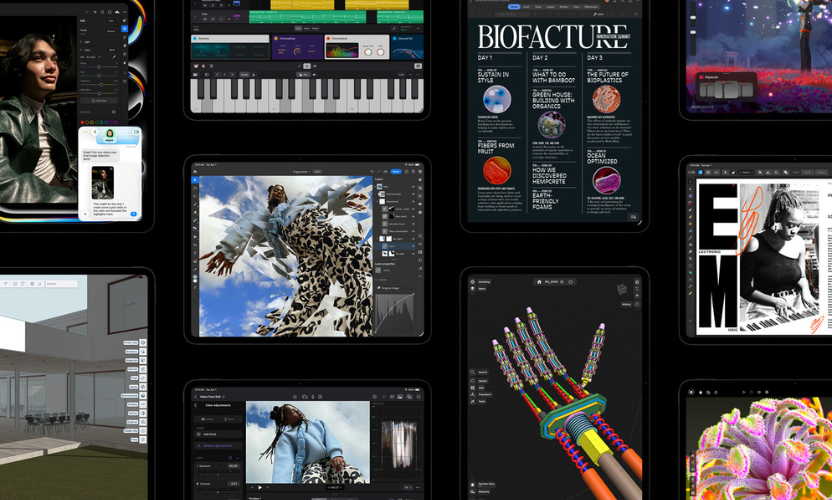
Thanks to iPadOS, users can run multiple apps simultaneously. For example, a student might open a lecture video on one side of the screen while taking notes on the other.
Professionals can work even more efficiently. They can keep email open while editing documents, manage files while attending video meetings, or research information while writing reports.
Features like Split View and Stage Manager allow users to organise apps and switch between tasks quickly. As a result, the iPad Pro offers a workflow that is closer to a laptop than a traditional tablet.
Exceptional Battery Life for All-Day Use
Battery life is critical for students and professionals who rely on their devices throughout the day.
The iPad Pro offers all-day battery performance, allowing users to attend classes, work on assignments, and complete office tasks without interruptions.
Students can take the device to lectures, libraries, and study sessions without worrying about charging it frequently. Meanwhile, professionals can rely on it during meetings, travel, and remote work situations.
Combined with its powerful chip, the battery efficiency makes the iPad Pro a reliable companion for long working hours.
High-Quality Cameras and Video Calls
While tablets are not usually known for cameras, the iPad Pro includes advanced camera technology that supports modern communication and content creation.
The front-facing camera features Center Stage, which automatically adjusts the frame during video calls. This ensures that the user remains in focus even if they move slightly.
Students can benefit from the functionality during online lectures or group study sessions. Professionals can also use it for virtual meetings, presentations, and remote work communication.
The rear camera system allows users to scan documents, capture photos, and record videos when needed. This makes the iPad Pro useful in many different work environments.
Magic Keyboard Compatibility
Another feature that enhances productivity is support for the Apple Magic Keyboard.
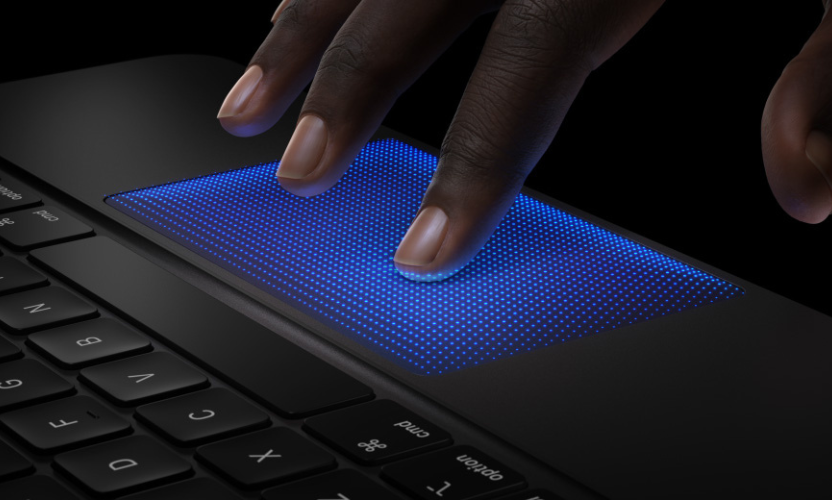
When connected, the keyboard transforms the iPad Pro into a laptop-like device. Users can type comfortably, use trackpad gestures, and navigate apps more efficiently.
Students writing essays or research papers will appreciate the faster typing experience. Professionals working on reports, emails, or business documents can also benefit from this setup.
As a result, the iPad Pro becomes a flexible hybrid device, combining the portability of a tablet with the functionality of a laptop.
Lightweight and Portable Design
Portability is one of the main reasons many users prefer tablets over laptops.
The iPad Pro is thin, lightweight, and easy to carry, making it ideal for people who travel between classes, offices, and meetings.
Students can easily carry it in their backpack alongside textbooks. Professionals can take it to meetings or work remotely without carrying heavy equipment.
Despite its slim design, the device still delivers powerful performance and premium features. This balance of portability and power is one of the reasons the iPad Pro remains so popular.
Strong App Ecosystem for Productivity
Apple’s App Store offers thousands of apps designed specifically for productivity, creativity, and learning.
Students can use apps for note-taking, research, language learning, and organisation. Popular tools like digital planners and study apps help improve productivity and manage schedules.
Professionals have access to apps for project management, graphic design, document editing, and collaboration. The iPad Pro’s large display and powerful hardware optimise many of these apps.
Because of this strong ecosystem, the iPad Pro becomes much more than a tablet. It becomes a complete digital workspace.
Why the iPad Pro Is Ideal for UK Students and Professionals
When considering performance, portability, and software capabilities, the latest iPad Pro offers several advantages.
Students benefit from powerful tools for note-taking, studying, and research. Meanwhile, professionals can use the device for communication, creative work, and business tasks.
Additionally, Apple’s long-term software updates ensure that the device remains secure and functional for many years. This makes it a valuable long-term investment for users who need a reliable device.
Conclusion
The Apple iPad Pro features powerful performance, a premium display, and advanced productivity tools in a lightweight and portable design.
For British students, it offers a modern way to take notes, organise study materials, and complete assignments efficiently. For professionals, it delivers the performance needed for multitasking, communication, and creative work.
Because of its powerful hardware and flexible ecosystem, the iPad Pro continues to be one of the best tablets available for work, study, and everyday productivity. If you want to stay updated with the latest devices and launches, explore more updates in our technology news section.
FAQs
Is the iPad Pro good for university students?
Yes. The iPad Pro is excellent for university students because it supports note-taking with the Apple Pencil, multitasking for studying, and access to educational apps.
Can the iPad Pro replace a laptop?
For many users, the iPad Pro can replace a laptop when paired with the Magic Keyboard. It supports multitasking, document editing, and professional apps.
Is the iPad Pro suitable for professionals?
Yes. Professionals in fields like design, business, and content creation benefit from the powerful processor, large display, and advanced productivity features.
How long does the iPad Pro battery last?
The iPad Pro typically provides all-day battery life depending on usage, making it suitable for long study sessions or workdays.

