
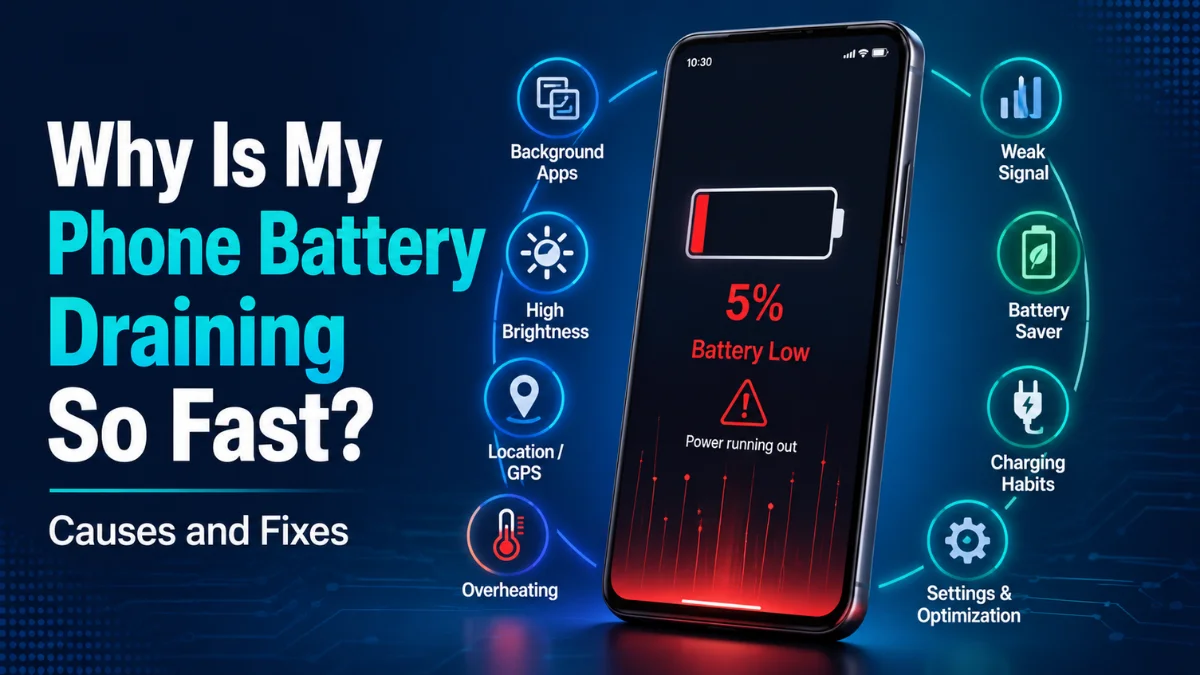
Why Is My Phone Battery Draining So Fast? Causes and Fixes
 By Inflix
 A phone battery draining fast can turn an otherwise reliable smartphone into a constant source of frustration. You may charge your phone before leaving home, only to find the battery close to empty by lunchtime.
In many cases, fast battery drain is caused by screen settings, background apps, weak network signals, location services or a recent software update. However, an ageing or damaged battery may also be responsible.
Fortunately, you can identify the cause by checking your phone’s battery usage and changing a few settings. This guide explains why your phone battery is dying quickly and what you can do to make it last longer.
Why Is Your Phone Battery Draining Fast?
Your phone battery may drain quickly because one or more apps are using excessive power in the background. High screen brightness, constant mobile data use, location tracking and poor network reception can also increase battery consumption.
In addition, a software update may temporarily increase battery use while the phone completes background tasks. According to Google’s official Pixel battery guidance, battery usage may temporarily increase after an update while the device downloads and optimises software.
If the battery continues to drain after several days, you should check which apps and system features are using the most power.
Common Signs of a Battery Drain Problem
Battery drain does not always appear in the same way. Therefore, you should pay attention to when and how quickly the battery percentage falls. When a phone battery-draining-fast problem appears suddenly, the way the battery percentage falls can help reveal the cause.
Common warning signs include:
- The battery drops quickly even when the phone is not being used
- The phone loses a large amount of charge overnight
- The device becomes unusually warm during light use
- The battery percentage suddenly jumps or falls
- The phone switches off before reaching 1%
- Battery life became worse after installing an app or update
The pattern can help you identify whether the problem is related to an app, a setting, the operating system, or the physical battery.
Check Why Your Phone Battery Is Draining Fast
Before changing several settings, check the battery usage report on your phone. It shows which apps and features have consumed the most power.
On an Android phone
Open:
Settings > Battery > Battery Usage
The exact menu name may vary depending on your phone manufacturer. Review the apps at the top of the list and look for anything using an unexpectedly high percentage.
You should also keep your device updated. Google provides official instructions explaining how to check and update your Android version.
On an iPhone
Open:
Settings > Battery
You can view battery activity over the last 24 hours or several days. You can also see how much battery each app used on screen and in the background.
Apple’s official guide explains how to check iPhone battery usage, activity and battery health.
If an unfamiliar or rarely used app is near the top, update it, restrict its background activity or uninstall it temporarily.
Quick Battery Drain Diagnosis
| What You Notice | Possible Cause | What to Do |
|---|---|---|
| Battery drains overnight | Background apps or poor signal | Check battery usage and network strength |
| Phone becomes hot | Heavy app, gaming or software process | Close demanding apps and let the phone cool |
| Battery drops suddenly | Ageing or damaged battery | Check battery health |
| Drain began after an update | Background optimisation or software issue | Restart and wait a few days |
| Screen uses most battery | High brightness or long screen timeout | Lower brightness and reduce timeout |
| One app uses unusual power | App bug or background activity | Update, restrict or remove the app |
Reduce Screen Brightness
The display is often one of the biggest battery users. A bright screen requires more power, especially when you watch videos, play games or use your phone outdoors.
Lower the brightness manually or enable automatic brightness so the phone can adjust it according to your surroundings.
You should also reduce the screen timeout. Instead of leaving the screen active for several minutes, set it to turn off after 30 seconds or one minute.
Google recommends reducing brightness, shortening the screen timeout and enabling automatic brightness in its official guide on how to get the most life from your Android battery.
Turn Off the Always-On Display
Many modern Android phones and iPhones can continue showing the time, notifications and widgets after the screen has been locked.
Although an always-on display is convenient, it still uses battery power. Therefore, turning it off may help if your phone loses charge while sitting unused.
Look for Always-On Display, Always Show Time and Info or a similar option under your display or lock screen settings.
Restrict Background App Activity
Some apps continue refreshing, syncing and checking for notifications even when you are not actively using them.
Social media, email, shopping, navigation and cloud storage apps may use mobile data, processing power and location services in the background.
On Android, open the app information page and look for:
Battery > Restricted
On iPhone, open:
Settings > General > Background App Refresh
You do not have to disable background activity for every app. Instead, restrict apps that you rarely use or that appear unusually high in the battery report.

Turn Off Unnecessary Location Access
Navigation, weather, delivery and social media apps may regularly check your location. As a result, location services can contribute to battery drain.
Review which apps can access your location and change unnecessary permissions from Always to While Using the App.
Avoid completely disabling location if you rely on emergency features, maps or device-finding services. Instead, limit access to the apps that genuinely need it.
Check Wi-Fi, Mobile Data and Signal Strength
A weak mobile signal can cause your phone to work harder to stay connected. Consequently, the battery may drain faster in areas with poor reception.
When a trusted Wi-Fi network is available, using it may reduce the need for constant mobile network searching. However, leaving Wi-Fi, Bluetooth and mobile hotspot features active when they are not needed may also consume extra power.
If you are in an area with no usable mobile signal for an extended period, flight mode may help preserve battery. Remember that calls and mobile messages will not work while it is enabled.
Why Does My Phone Battery Drain Overnight?
Overnight battery drain is usually linked to background syncing, notifications, poor network coverage or an app preventing the phone from entering a low-power state.
Before going to sleep, check that:
- A navigation or streaming app is not still running
- Mobile hotspot is turned off
- Cloud backups are not repeatedly failing
- The phone has a stable signal
- A recently installed app is not using unusual background power
A small percentage drop overnight can be normal. However, losing a large amount of charge without using the phone suggests that an app, connection or battery problem needs attention.
Why Is My Battery Draining After an Update?
Battery drain after an Android or iPhone update does not always mean the update has permanently damaged battery life.
After an update, the phone may optimise apps, rebuild indexes, process photos and complete other background tasks. Google explains that temporary battery usage can increase after software updates while the phone completes optimisation.
Restart the phone and keep your apps updated. Android users can follow Google’s guide to update an Android device safely, while iPhone users can follow Apple’s instructions on how to update an iPhone or iPad.
Samsung Galaxy users should also check whether a newer software version is available. You can read our Mobile Verse guide covering the Samsung One UI 8.5 update for more information about Samsung software changes.
Allow a few days for background optimisation to finish. However, if the phone remains hot or battery life stays unusually poor, check for another system update because manufacturers may release smaller patches to correct early problems.
Restart Your Phone
A simple restart can stop a stuck background process and refresh network connections.
Restarting is especially useful when battery drain begins suddenly, the phone feels warm or an app has stopped responding correctly.
After restarting, monitor the battery for a few hours. If the issue returns, check the battery usage report again to see which app moved to the top.
Update Your Apps
An outdated or faulty app may continue running in the background or repeatedly attempt to connect to a service.
Open the Google Play Store or Apple App Store and install available updates. If the battery problem started after installing one particular app, uninstall it temporarily and monitor the phone again.
Avoid installing random battery saver or phone cleaner apps. Some of these applications may run continuously and create more battery usage rather than reducing it.
Use Battery Saver or Low Power Mode
Battery-saving modes reduce certain background activities, visual effects and automatic processes.
On Android, look for:
Settings > Battery > Battery Saver
On iPhone, open:
Settings > Battery > Low Power Mode
Apple explains that Low Power Mode reduces background activity and temporarily limits certain features to extend battery life.
Battery saver is useful when you need the phone to last longer. However, it should not be treated as the only solution if the battery suddenly drains much faster than usual.
How to Fix a Phone Battery Draining Fast on Android
If your Android phone battery is draining fast, try these steps in order:
- Restart the phone
- Check battery usage
- Update Android and installed apps
- Lower screen brightness
- Reduce screen timeout
- Enable Adaptive Battery
- Restrict power-hungry apps
- Turn off unnecessary location access
- Disable the always-on display
- Remove recently installed apps
Google recommends leaving Adaptive Battery and battery optimisation enabled because these features help manage app power use.
Samsung users can also follow Samsung’s official instructions explaining what to do when a Galaxy device battery drains faster.
The names and locations of settings may differ between Samsung, Google Pixel, OnePlus, Xiaomi and other Android phones.
How to Fix a Phone Battery Draining Fast on iPhone
For an iPhone battery draining fast, follow these steps:
- Open Settings > Battery
- Check which apps used the most power
- Restart the iPhone
- Install the latest iOS and app updates
- Enable Low Power Mode
- Reduce screen brightness
- Limit Background App Refresh
- Review location permissions
- Check battery health
- Remove any app causing unusual activity
Apple recommends checking battery suggestions, app activity and battery health when an iPhone or iPad loses power too quickly. More details are available in Apple’s official iPhone battery performance guide.
Check Your Phone’s Battery Health
Rechargeable batteries naturally lose capacity over time. Therefore, an older battery cannot usually provide the same runtime as it did when it was new.
On an iPhone, open:
Settings > Battery > Battery Health
Depending on the iPhone model, the menu may also appear as Battery Health & Charging.
Apple advises considering battery replacement when the Battery Health screen displays a service recommendation. You can learn more from Apple’s guide on iPhone battery and performance.
Battery health information is not available in the same place on every Android device. Some newer phones include a battery health section, while others may require a manufacturer diagnostic tool.
Can Overheating Drain the Battery?
Yes. High temperatures can increase battery consumption and may affect the battery’s long-term condition.
A phone can become warm during gaming, video recording, navigation, charging or software installation. However, it should not remain extremely hot during basic tasks.
If the phone becomes unusually hot:
- Remove it from direct sunlight
- Stop gaming or recording video
- Disconnect the charger
- Remove a thick case temporarily
- Close demanding apps
- Allow the phone to cool naturally
Do not place a hot phone in a refrigerator or freezer because sudden temperature changes may cause moisture damage.
When Should You Replace the Battery?
A battery replacement may be necessary when:
- The phone shuts down unexpectedly
- The percentage falls suddenly
- Battery life remains poor after troubleshooting
- The battery health screen recommends service
- The back cover or screen begins lifting
- The battery appears swollen
Stop using or charging the device if the battery is swollen. A swollen battery should be handled by a qualified technician because it can become a safety risk..
How to Stop a Phone Battery Draining Fast
Once the immediate battery drain has been fixed, a few everyday habits can help your phone last longer between charges. Preventing a phone battery draining fast issue also requires regular app updates and sensible charging habits.
Keep the operating system and apps updated. In addition, avoid leaving the phone in direct sunlight or inside a hot vehicle.
Use the charger and cable recommended for your device. Furthermore, review battery usage occasionally so you can identify problematic apps before they begin causing severe drain.
It is also helpful to follow Google’s official Android battery-saving recommendations or Apple’s guidance on maximising battery life and lifespan.
Finally, do not worry about making every setting as restrictive as possible. The goal is to reduce unnecessary power use without removing the features you actually need.
Final Thoughts
A phone battery draining fast does not automatically mean the battery needs replacing. In many cases, the problem is caused by a bright screen, background app activity, location access, weak network reception or temporary work after a software update.
Start by checking battery usage. Then update your software, restart the phone and restrict any app using an unusual amount of power.
However, if the battery percentage drops suddenly, the phone switches off unexpectedly or the battery begins swelling, professional inspection or replacement may be necessary.
Frequently Asked Questions
Why is my phone battery suddenly draining so fast?
Sudden battery drain may be caused by a recently installed app, background activity, weak signal, a software update or an ageing battery. Check the battery usage report to find which app or feature is consuming the most power.
Why is my battery draining even when I am not using my phone?
Your phone may still be syncing emails, receiving notifications, updating apps, using location services or searching for a network. Restrict unnecessary background activity and review battery usage.
Why does my battery drain overnight?
Overnight drain can be caused by background apps, cloud backups, poor mobile reception, notifications, or a software process keeping the phone active. Restart the device and check battery usage the next morning.
Can a software update cause battery drain?
Yes, battery use may temporarily increase while the phone completes optimisation and other background tasks after an update. However, persistent drain may indicate an app conflict or software issue.
Does dark mode save battery?
Dark mode can reduce power use on phones with OLED or AMOLED screens, particularly when the interface uses true black backgrounds. The improvement may be smaller on phones with LCD screens.
How do I know whether my phone battery needs replacing?
A battery may need replacement if the phone shuts down unexpectedly, loses power very quickly, shows a service warning, or has a swollen battery. Battery health information may also reveal reduced capacity.
Is it safe to use battery saver all the time?
Battery saver is generally safe, but it may limit notifications, background syncing, performance, and visual effects. It can improve runtime, although it will not repair a damaged battery.
Can too many apps drain the battery?
Simply having many apps installed does not always cause a drain. However, apps that constantly refresh, track location, send notifications, or run background services can reduce battery life.


