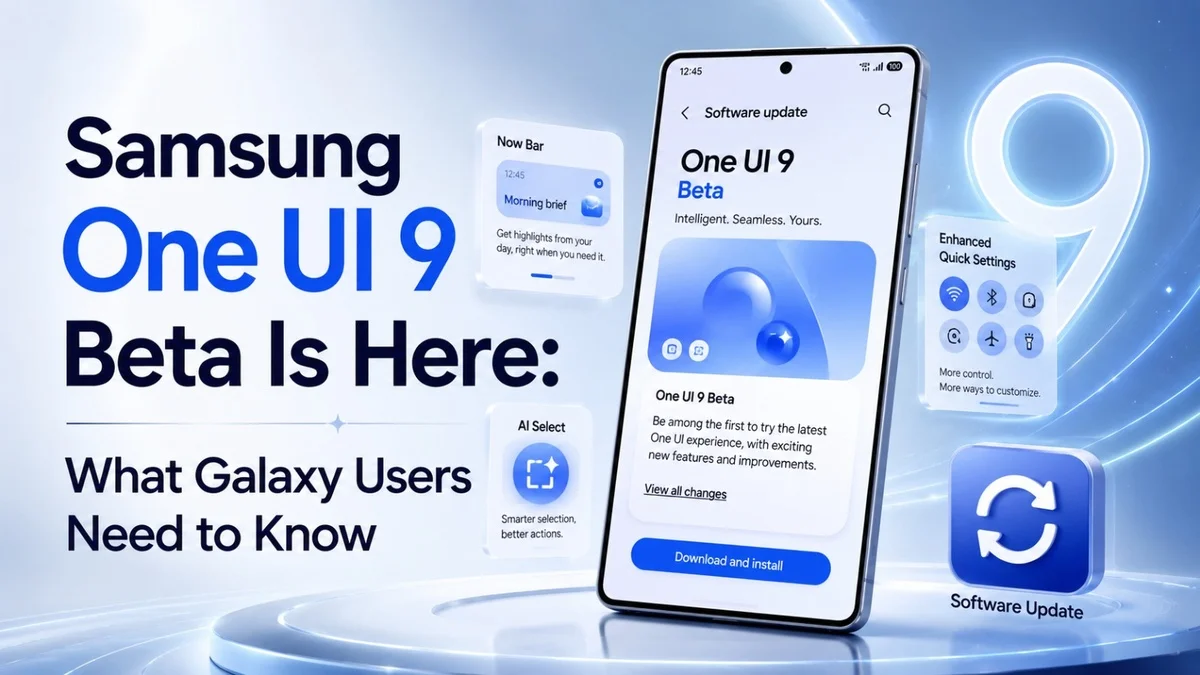
Samsung has officially started the One UI 9 beta program, and Galaxy users now have an early look at the next big software update. The beta is based on Android 17 and is currently available for the Galaxy S26 series in select markets, including Germany, India, Korea, Poland, the UK and the US. Users can apply through the Samsung Members app where the beta is available.
This update is important because it gives Samsung users a preview of the features that may shape Galaxy phones later this year. However, because it is still a beta version, users should understand both the benefits and the risks before installing it.
What Is One UI 9 Beta?
The One UI 9 beta is an early test version of Samsung’s next major software update. It allows selected Galaxy users to try new features before the final stable version arrives.
Samsung uses beta programs to collect feedback, fix bugs and improve performance before a wider release. Therefore, this version is mainly designed for users who do not mind testing unfinished software.
At the moment, the beta has started with the Galaxy S26 series. Samsung says the full One UI 9 experience will arrive later this year with upcoming Galaxy flagship devices, and it will include more advanced AI features.
One UI 9 Beta-Eligible Devices
For now, Samsung has confirmed Samsung’s new beta update for the Galaxy S26 series. This includes:
Device
Beta Status
Galaxy S26
Eligible in selected markets
Galaxy S26 Plus
Eligible in selected markets
Galaxy S26 Ultra
Eligible in selected markets
Samsung may expand the update to more Galaxy devices later. However, the company has not confirmed a full public rollout list for every eligible phone yet. Because of that, Galaxy S25, Galaxy S24, Z Fold, and Z Flip users should wait for official confirmation before expecting the beta.
One UI 9 Beta Availability
The One UI 9 beta is currently available in selected countries. Samsung has listed Germany, India, Korea, Poland, the UK, and the US as supported beta markets.
If you live in one of these regions and own an eligible Galaxy S26 device, you can check the Samsung Members app. If the program is open for your device, you should see a beta registration banner.
However, availability can still depend on model, carrier, and region. As a result, some users may receive access earlier than others.
New Quick Panel Customization
One of the biggest changes in One UI 9 beta is the improved Quick Panel. Samsung is giving users more control over how the panel looks and works.
The update brings more customization options for brightness, sound, and media controls. It also includes new size options, which should help users arrange shortcuts in a cleaner way.
This is useful because many Galaxy users open the Quick Panel several times a day. Therefore, even small design improvements can make the phone feel easier and faster to use.
Samsung Notes Gets Creative Tools
Samsung Notes also receives useful upgrades in One UI 9 beta. The app now supports more pen styles and decorative tape features.
This may sound like a small change, but it can help students, creators, and professionals who use Samsung Notes for planning, sketching or handwritten notes. In addition, users who enjoy personalizing their notes will have more ways to make their pages look clear and creative.
Better Security Against Risky Apps
Samsung has also improved security in Samsung’s upcoming One UI update. According to Samsung, the update can warn users about high-risk apps, block installation or execution, and recommend deletion through security policy updates.
This matters because Android users sometimes install apps from outside official app stores. While that gives more flexibility, it can also increase security risks. Therefore, stronger app protection should help Galaxy users stay safer.
Accessibility Improvements in One UI 9 Beta
The One UI 9 beta also focuses on accessibility. Samsung has added improvements such as Text Spotlight for better visibility and unified TalkBack updates through the Play Store.
These changes can make Galaxy phones easier to use for people with different accessibility needs. In addition, better accessibility features often improve the overall experience for all users, not only those who rely on them every day.
Samsung DeX Improvements
Samsung DeX is also getting multitasking improvements in One UI 9 beta.
For users who connect their Galaxy phone to a monitor, DeX can turn the phone into a more desktop-like workspace. Therefore, better multitasking could make Galaxy devices more useful for productivity, especially for people who work across phone, tablet, and PC-style setups.
Should You Install One UI 9 Beta?
You should install the One UI 9 beta only if you are comfortable with possible bugs. Beta software can include app crashes, battery drain, heating issues or missing features. Therefore, it is not always the best choice for your main phone.
You may consider installing it if:
You own a supported Galaxy S26 model.
You live in a supported beta region.
You want early access to Android 17-based features.
You are comfortable reporting bugs and dealing with small problems.
However, you should avoid it if your phone is essential for work, banking, business calls or daily reliability. In that case, waiting for the stable One UI 9 update is the safer option.
How to Join One UI 9 Beta
If the One UI 9 beta is available for your phone and region, follow these steps:
Open the Samsung Members app.
Sign in with your Samsung account.
Look for the One UI 9 beta banner.
Tap the banner and read the details.
Register for the beta program.
Go to Settings.
Tap Software update.
Select Download and install.
Before installing, back up your important data. Also, make sure your phone has enough battery and storage.
What Galaxy Users Should Expect Next
The One UI 9 beta is only the beginning of Samsung’s Android 17 update journey. The company will likely test the software, improve stability and then prepare the stable rollout later.
For now, Galaxy S26 users get the first look. Meanwhile, users with older Galaxy phones should keep checking official Samsung update news because more devices may follow after the first beta phase.
Overall, One UI 9 looks like a practical update rather than a complete redesign. It improves customization, security, accessibility and productivity. As a result, it could make Galaxy phones feel more polished when the stable version arrives.
For official details, users can read Samsung’s announcement about the One UI 9 beta on the Samsung Newsroom. It explains the supported Galaxy models, selected beta regions and the main features included in this early software update.
Ready-to-Paste Internal Link Paragraph
If you follow Samsung updates and Android news, you may also like our latest guides on upcoming smartphones, Galaxy features and mobile software trends. These posts can help you understand whether a new update is worth installing or whether you should wait for a stable release.
FAQs About One UI 9 Beta
What is One UI 9 beta?
The One UI 9 is an early test version of Samsung’s Android 17-based software update. It lets selected Galaxy users try new features before the stable release.
Which phones support One UI 9 beta?
At launch, Samsung has opened the beta for the Galaxy S26 series in selected markets. More devices may be added later, but Samsung has not confirmed every model yet.
Is One UI 9 beta available in the UK?
Yes, Samsung lists the UK among the selected markets for the One UI 9 program. Availability may still depend on device model and carrier.
Is One UI 9 beta safe to install?
The beta is official, but it may still include bugs. Therefore, it is safer to install it on a secondary device rather than your main phone.
How can I download One UI 9 beta?
Eligible users can register through the Samsung Members app. After registration, the update should appear under Settings > Software update > Download and install.
Final Thoughts
The One UI 9 gives Galaxy users an early preview of Samsung’s next major update. It brings useful changes to the Quick Panel, Samsung Notes, DeX, security and accessibility.
However, beta software is not perfect. If you want the newest features and do not mind possible bugs, the beta may be exciting. On the other hand, if you need your phone to stay fully stable every day, waiting for the official stable release is the better choice.