
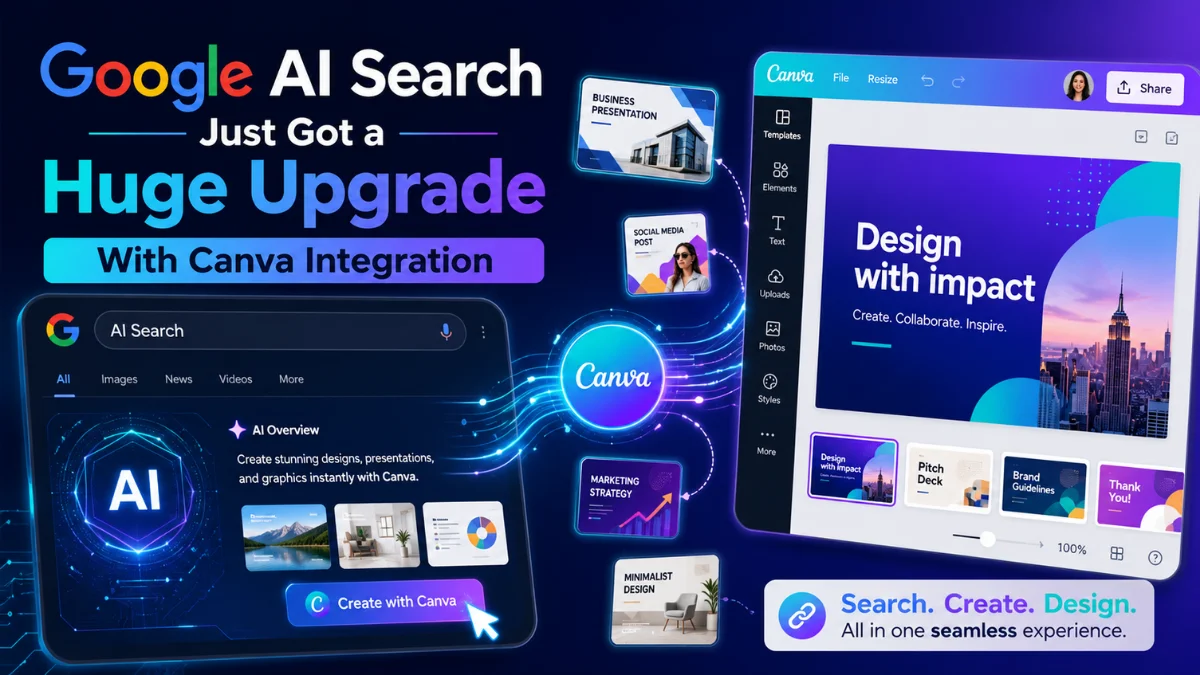
Google AI Search Just Got a Huge Upgrade With Canva Integration
 By Inflix
 Google has expanded AI Mode in Search with new connections to Canva, YouTube Music and Instacart.
The Google AI Mode Canva integration allows users to describe a design in natural language and receive editable Canva results directly through Google Search. Meanwhile, users can create personalised YouTube Music playlists or prepare an Instacart shopping cart without moving between several apps.
Canva confirmed that its latest Google integration brings design creation directly into both Google Search and Gemini. The company says users can create, find and edit designs through conversational prompts.
The feature marks another major step in Google’s effort to turn Search from an information tool into an AI assistant that can complete practical tasks.
What Is the Google AI Mode Canva Integration?
Google AI Mode now supports Connected Apps, which allow Search to communicate with selected services after users connect their accounts.
With Canva connected, users can ask AI Mode to create visual content such as:
- Social media graphics
- Promotional banners
- Event invitations
- Flyers
- Presentations
- Posters
- Marketing materials
Instead of searching for a Canva template manually, a user can explain the purpose, audience and style of the design. AI Mode can then provide relevant and editable Canva designs inside the conversation.
Canva says the integration works through natural-language requests and lets people continue editing their results in Canva.
What Can Google AI Mode Create With Canva?
The integration can help users start a design by describing what they need.
For example, someone could ask:
Create a modern promotional flyer for a mobile phone repair shop offering same-day screen replacement.
Google AI Mode could then use Canva to produce design options that match the request. The user could open the preferred result in Canva and adjust the colours, text, images or layout.
Other useful prompts may include:
- Create an Instagram post for a summer sale.
- Design an invitation for a child’s birthday party.
- Find a professional presentation template for a technology company.
- Make a promotional banner for a local business.
- Create a simple restaurant menu design.
- Design a Facebook post announcing a product launch.
The results remain editable, so users do not have to accept the first version.
How Does the Canva Integration Work?
Users first need access to Google AI Mode and the new Connected Apps feature.
The general process works like this:
- Open Google Search.
- Select AI Mode.
- Open the Connected Apps settings.
- Connect your Canva account.
- Enter a detailed design prompt.
- Review the generated Canva options.
- Open the preferred design in Canva.
- Edit and download or share the final result.
Google may ask users to approve permissions before connecting an external account.
The exact menus may vary depending on the device, Google account and rollout stage.
Google AI Mode Connected Apps
| Connected app | What users can do |
|---|---|
| Canva | Create and find editable visual designs |
| YouTube Music | Generate personalised music playlists |
| Instacart | Build grocery lists and add products to a cart |
| Gmail | Use relevant email information in supported requests |
| Google Drive | Find and use information from stored files |
| Google Photos | Search personal photos with conversational prompts |
These connections allow AI Mode to perform more useful tasks instead of only returning links and summaries.

Google AI Mode Can Also Create YouTube Music Playlists
YouTube Music support allows users to generate playlists through conversational prompts.
For example, a user could ask:
Create a two-hour birthday playlist featuring popular songs from the 2000s and recent dance music.
AI Mode can produce a playlist title, song selection and estimated duration. Users may then play the playlist or save it to their YouTube Music library.
The integration can consider details such as:
- Music genre
- Event type
- Mood
- Preferred decade
- Playlist duration
- Artist preferences
- Age group
Reports indicate that users can review the playlist inside AI Mode before adding it to their YouTube Music accounts.
How Does the Instacart Connection Work?
The Instacart integration focuses on grocery planning and shopping.
A user could ask AI Mode to prepare a shopping list for a barbecue, family dinner or birthday party. Google can then suggest suitable products and add them to an Instacart cart.
For example:
Prepare a grocery list for a barbecue for eight people, including vegetarian options and soft drinks.
AI Mode could organise the required ingredients and help transfer suitable products into Instacart.
However, users should still review:
- Product quantities
- Dietary requirements
- Prices
- Delivery fees
- Product availability
- Final payment details
AI Mode assists with the planning process, but users remain responsible for checking and approving the order.
Is Google AI Mode Replacing Regular Google Search?
No. Google continues to offer traditional search results alongside AI Mode.
Regular Google Search focuses on websites, images, news, products and other sources. In contrast, AI Mode allows users to ask longer questions, continue conversations and complete supported tasks.
Google describes AI Mode as its more advanced AI search experience, with deeper reasoning, follow-up questions and links to useful web sources.
The Canva, YouTube Music and Instacart connections extend AI Mode beyond answering questions. They turn it into a tool for creating and organising content.
Is Google AI Mode the Same as Gemini?
Google AI Mode and Gemini use related Google AI technology, but they are not the same service.
Google AI Mode works within Google Search. It combines AI-generated responses with information and links from across the web.
Gemini works as a standalone AI assistant that connects with Google apps and supports tasks such as writing, planning, analysing files and generating content.
Canva has expanded its design integration across both Google Search and Gemini. Therefore, users may see similar Canva capabilities in more than one Google AI product.
Who Can Use the New Connected Apps?
Google initially started rolling out the new Connected Apps experience to users in the United States.
Therefore, people in the UK, Europe, Pakistan and other regions may not immediately see Canva, YouTube Music or Instacart inside AI Mode.
Availability can depend on:
- Country
- Google account
- Account language
- Age requirements
- App availability
- Rollout stage
- Workspace administrator settings
Google has expanded several AI Mode features gradually, often starting in the United States before moving into additional markets.
Is the Google AI Mode Canva Integration Free?
Google has not presented the Canva connection as a separate paid add-on.
However, users may still face limits based on their Google and Canva accounts. Certain Canva templates, images, brand tools and AI features may require Canva Pro or another paid plan.
Similarly, YouTube Music may require a subscription for some playback features, while Instacart may charge delivery and service fees.
Connecting an app does not automatically unlock every premium feature inside that service.
Is It Safe to Connect Canva and Other Apps?
Connecting an app permits Google AI Mode to interact with selected account information and features.
Before approving access, users should review:
- What information Google can access
- What actions AI Mode can complete
- Whether account activity will personalise results
- How to disconnect the app
- Whether the account contains confidential work
Businesses should take extra care when connecting company Canva accounts that contain client projects, brand assets or unpublished marketing materials.
Canva also gives organisations controls for managing access to its AI Connector and related account capabilities.
Can Google AI Mode Edit Existing Canva Designs?
Canva says its integrations can help users create, find and edit content from connected AI experiences.
However, the available editing controls may depend on the specific integration and account permissions. Users may still need to open Canva for detailed changes such as resizing elements, adjusting fonts or managing complex brand templates.
The biggest benefit comes from reducing the time required to begin a project. AI Mode can turn a written idea into an editable starting point.
Why Does This Google AI Search Update Matter?
The update changes the role of Google Search.
Previously, a person searching for a birthday invitation might receive links to Canva templates and design guides. Now, the same user may ask AI Mode to create the invitation directly.
This shift could save time because users can move from an idea to an editable result within one conversation.
It may particularly help:
- Small business owners
- Social media managers
- Students
- Content creators
- Event planners
- Marketing teams
- People with limited design experience
However, users should still review AI-generated designs carefully. AI tools may produce incorrect text, unsuitable images or layouts that need further editing.
How Could This Affect Websites and Publishers?
Connected Apps may reduce the number of steps users take between searching and completing a task.
For example, someone may create a design, playlist or shopping cart directly through AI Mode instead of visiting several websites first.
Therefore, businesses and publishers may need to create content that offers more than basic instructions. Detailed comparisons, original expertise, practical examples and trustworthy reviews may become more valuable as Google automates simple tasks.
At the same time, Google says AI Mode still provides links that help users explore information across the web.

How to Write Better Canva Prompts in Google AI Mode
A detailed prompt usually produces a more useful result.
Include the following information:
- Type of design
- Target audience
- Main message
- Required dimensions
- Preferred visual style
- Brand colours
- Call to action
- Important text
- Platform where you will publish it
For example:
Create a 1200 by 628 pixel Facebook banner for a UK phone retailer. Use a modern technology style, include the text “Refurbished iPhone Sale,” and add a clear “Shop Now” call to action.
A specific request gives Canva more context than a simple prompt such as “make a phone banner.”
Will Google Add More Connected Apps?
Google has indicated that more app connections will arrive over time.
The Canva, YouTube Music and Instacart rollout shows that Google wants AI Mode to complete creative, entertainment and shopping tasks.
Future integrations could potentially expand into travel, productivity, communication and other services. However, Google has not confirmed every app or launch date.
For more updates about Google’s AI products, read our guide to Android AI access for rival assistants.
You can also explore the latest mobile software changes in our article about Android 17 new features.
Frequently Asked Questions
What is the Google AI Mode Canva integration?
The integration lets users connect Canva with Google AI Mode and create or find editable designs through conversational prompts in Search.
Can Google AI Mode create Canva designs?
Yes. Users can describe a flyer, banner, invitation or social media graphic, and AI Mode can provide editable Canva design options.
Can Google AI Mode create music playlists?
Yes. The YouTube Music connection allows users to generate personalised playlists based on genres, moods, events, decades and other preferences.
Does Google AI Mode work with Instacart?
Yes. Users can ask AI Mode to prepare grocery lists and add suitable products to an Instacart shopping cart.
Is the Canva integration available worldwide?
Google started the Connected Apps rollout in the United States. Users in other countries may need to wait for wider availability.
Do I need a Canva account?
Yes. Users need to connect a Canva account before AI Mode can access supported Canva features.
Is Google AI Mode free?
Google provides AI Mode without a separate Canva integration fee, although availability and usage limits may vary. Canva and other connected services may also reserve some features for paid plans.
Can I disconnect Canva from Google AI Mode?
Yes. Users can manage or remove connected services through their Google account or AI Mode settings.
Final Thoughts
The Google AI Mode Canva integration turns Search into a more practical creation tool.
Users can now move from a written idea to an editable Canva design, a personalised YouTube Music playlist or an Instacart shopping cart without opening several separate services.
For now, the rollout remains limited, and users should carefully review app permissions and AI-generated results. Nevertheless, this update provides a clear look at Google’s future vision for Search: an AI assistant that does not only find information but also helps users act on it.


