Apple Services Guide: What’s Worth Paying For in 2026?
 By Inflix
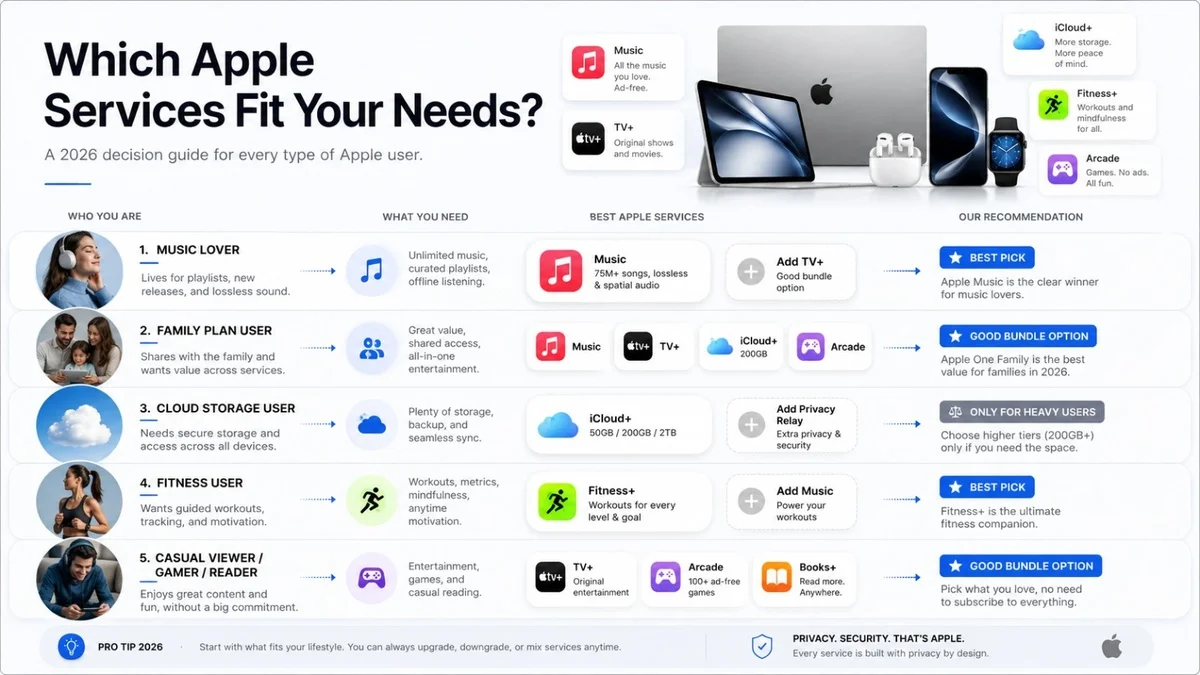
 This Apple Services Guide helps you understand which Apple subscriptions are actually worth your money and which ones you can skip. Apple now offers many paid services, including iCloud+, Apple Music, Apple TV+, Apple Arcade, Apple Fitness+, Apple News+ and Apple One. However, not every service is useful for every user. Therefore, this guide explains each option in simple words so you can choose smarter and avoid wasting money.
Apple has turned its ecosystem into more than just iPhones, iPads, Macs and Apple Watches. In addition, the company now wants users to stay connected through monthly services. Some of these services are very practical, especially iCloud+. Others are only worth paying for if you use them regularly. As a result, the best choice depends on your device usage, family needs and monthly budget.
Apple Services Guide: What Are Apple Services?
Apple Services are monthly subscriptions that add extra features, storage, entertainment or content to your Apple devices. For example, iCloud+ gives you more cloud storage, while Apple Music gives you music streaming. Meanwhile, Apple TV+ focuses on original shows and films.
The most popular Apple services include:
| Apple Service | Main Use | Best For |
|---|---|---|
| iCloud+ | Storage and backup | iPhone users |
| Apple Music | Music streaming | Music lovers |
| Apple TV+ | Shows and films | Streaming fans |
| Apple Arcade | Ad-free games | Families and kids |
| Apple Fitness+ | Workouts | Apple Watch users |
| Apple News+ | Magazines and news | Regular readers |
| Apple One | Bundle plan | Heavy Apple users |
This Apple Services Guide is useful because many users pay for subscriptions they do not fully use. Instead of subscribing to everything, it is better to pick only the services that give real value.
Apple Services Guide: Is Apple One Worth Buying?
Apple One is Apple’s bundle plan. It combines multiple Apple services into one monthly payment. For many users, Apple One can be a good deal, especially if they already use Apple Music, iCloud+ and Apple TV+.
However, Apple One is not always the best option. If you only need iCloud storage, buying Apple One may cost more than necessary. On the other hand, families with several Apple devices may save money because Apple One Family allows sharing with other people.
Buy Apple One If:
You should buy Apple One if you already use two or more Apple services every month. It is also a good choice for families who want shared storage, music, games and streaming in one plan.
Avoid Apple One If:
You should avoid Apple One if you only need one service. For example, if you only want iCloud storage, then a separate iCloud+ plan may be cheaper.
Apple Services Guide: iCloud+ Is the Best Choice for Most Users
iCloud+ is the most useful Apple service for many people. It helps store photos, videos, files, app data and device backups. Because iPhones fill up quickly, extra cloud storage can make daily use much easier.
For example, if you take many photos or videos, iCloud+ keeps them synced across your iPhone, iPad and Mac. In addition, it makes switching to a new iPhone smoother because your backup can restore important data.
Buy iCloud+ If:
Choose iCloud+ if your iPhone storage is full, your photos are important, or you want automatic backups. This is the Apple service that most users should consider first.
Avoid iCloud+ If:
Skip iCloud+ if you already use Google Photos, OneDrive or another cloud storage service and do not need Apple’s backup system.
Apple Services Guide: Apple Music Is Great for Apple Users
Apple Music is a strong choice for people who listen to music every day. It works smoothly with iPhone, AirPods, Apple Watch, HomePod and CarPlay. Because of this, it feels natural inside the Apple ecosystem.
However, Apple Music is not the only good music app. Spotify, YouTube Music and Amazon Music are also popular. Therefore, the best option depends on your listening habits.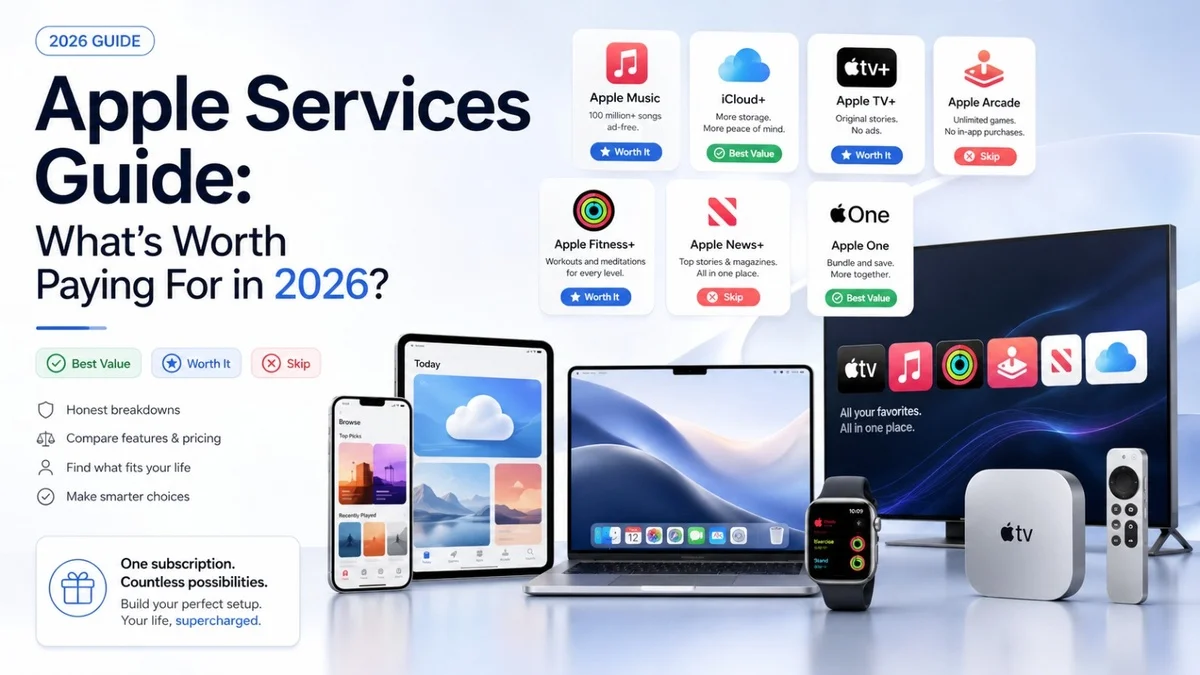
Buy Apple Music If:
Apple Music is worth buying if you use Apple devices daily and want a smooth music experience. It is also a good choice if you like Spatial Audio and easy Siri control.
Avoid Apple Music If:
Avoid Apple Music if you already prefer Spotify playlists, YouTube Music videos or another streaming service.
Apple Services Guide: Apple TV+ Is Good, But Not Essential
Apple TV+ offers original shows, films and documentaries. Some users love its premium content, especially because Apple focuses on quality. However, the library is smaller than Netflix, Disney+ or Prime Video.
Because of that, Apple TV+ is best for people who want specific Apple Originals. It may not be the best choice if you want a huge collection of movies and shows.
Buy Apple TV+ If:
Apple TV+ is worth buying if you enjoy Apple Originals and want ad-free streaming.
Avoid Apple TV+ If:
Skip Apple TV+ if you already pay for other streaming platforms and do not watch Apple’s original content often.
Apple Services Guide: Apple Arcade Is Best for Families
Apple Arcade gives users access to ad-free games without in-app purchases. This makes it useful for families, especially when children play games on iPhone or iPad.
Many free mobile games show ads or push users toward extra purchases. Apple Arcade reduces that problem. As a result, parents may find it safer and cleaner for kids.
Buy Apple Arcade If:
Apple Arcade is worth it if your family plays mobile games regularly. It is also good for casual gamers who want simple, ad-free entertainment.
Avoid Apple Arcade If:
Avoid Apple Arcade if you rarely play games or prefer console and PC gaming.
Apple Services Guide: Apple Fitness+ Works Best With Apple Watch
Apple Fitness+ offers guided workouts, meditation and exercise sessions. It works especially well with Apple Watch because users can track heart rate, calories and workout progress.
However, this service is not for everyone. If you already go to the gym or follow free workouts online, Apple Fitness+ may not be necessary.
Buy Apple Fitness+ If:
Apple Fitness+ is useful if you own an Apple Watch and want guided workouts at home.
Avoid Apple Fitness+ If:
Skip Apple Fitness+ if you do not exercise regularly or already use another fitness app.
Apple Services Guide: Apple News+ Depends on Your Reading Habits
Apple News+ gives access to magazines, newspapers and premium reading content. For people who read news daily, it can be valuable. However, it depends on your country and the publications available in your region.
Some users may not need Apple News+ because they already read free news online. Therefore, this service is only worth it for serious readers.
Buy Apple News+ If:
Apple News+ is worth buying if you read magazines, newspapers and long-form stories often.
Avoid Apple News+ If:
Avoid Apple News+ if you rarely read paid articles or your region has limited content.
Best Apple Services to Buy
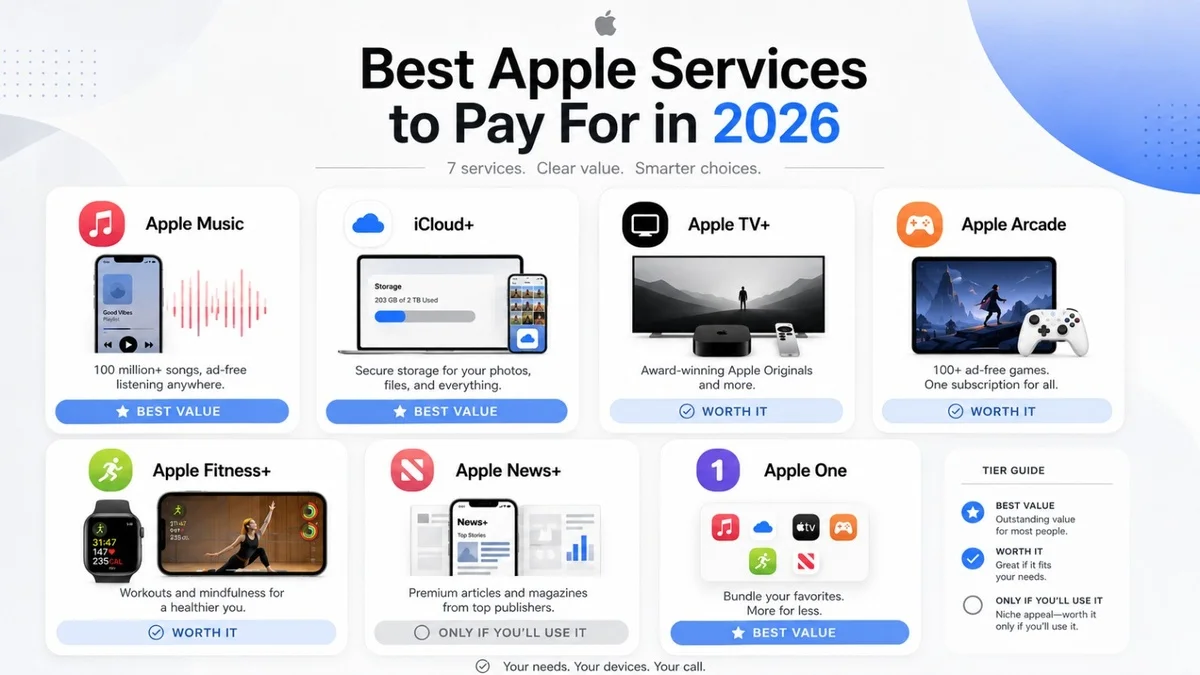
This Apple Services Guide recommends iCloud+ as the best Apple service for most users. It solves a real problem because storage and backups matter every day. After that, Apple Music is a strong choice for regular music listeners.
The best Apple services to buy are:
- iCloud+ for storage, photos and backups
- Apple Music for daily music streaming
- Apple One Family for households with many Apple devices
- Apple Arcade for children and casual games
- Apple TV+ for Apple Originals
Apple Services to Avoid
You should avoid Apple services that you do not use every week. Subscriptions look cheap at first, but they become expensive when several payments add up every month.
For example, Apple Fitness+ is not worth it if you rarely work out. Similarly, Apple News+ is not useful if you do not read premium news or magazines. Apple Arcade may also be unnecessary if you do not play mobile games.
Apple One vs Individual Apple Services
Choosing between Apple One and individual services depends on usage. If you only need one subscription, buy it separately. However, if you use several services, Apple One can offer better value.
| User Type | Best Option |
|---|---|
| Only needs cloud storage | iCloud+ |
| Listens to music daily | Apple Music |
| Watches Apple Originals | Apple TV+ |
| Has kids using iPad games | Apple Arcade |
| Uses many Apple services | Apple One |
| Family with Apple devices | Apple One Family |
Overall, Apple One is best for people who already use multiple Apple services. Otherwise, separate subscriptions are often smarter.
For more helpful tech guides, smartphone updates and buying advice, visit Mobile Verse regularly. You can also explore our latest articles on iPhone features, Android updates, AI phones and future mobile technology trends to make better buying decisions.
Before choosing a paid plan, always check Apple’s latest service details directly. You can compare official Apple One plans, included subscriptions and regional availability on the official Apple One page.
Final Verdict
This Apple Services Guide makes one thing clear: you do not need every Apple subscription. Most users should start with iCloud+ because it protects photos, files and backups. Apple Music is also worth it for daily listeners, while Apple One is best for families or heavy Apple users.
However, services like Apple Fitness+, Apple News+ and Apple Arcade depend on your lifestyle. If you use them often, they can be worth the price. If not, it is better to avoid them and save money.
In the end, the smartest choice is simple. Buy the Apple services that solve a real problem, avoid the ones you rarely open, and only choose Apple One when the bundle truly saves money.
FAQs
What is the best Apple service to buy?
iCloud+ is the best Apple service for most users because it helps with storage, photos and device backups.
Is Apple One worth it?
Apple One is worth it if you use two or more Apple services every month. It is especially useful for families.
Should I buy Apple Music or Spotify?
Apple Music is better for users who love the Apple ecosystem. However, Spotify may be better for playlists and music discovery.
Is Apple TV+ worth paying for?
Apple TV+ is worth it if you enjoy Apple Originals. However, it may not replace bigger streaming platforms for everyone.
Is Apple Arcade good for kids?
Yes, Apple Arcade is good for kids because it offers ad-free games without in-app purchases.
Which Apple services should I avoid?
Avoid Apple services that you do not use often. Apple Fitness+, Apple News+ and Apple Arcade are only worth it for specific users.