
Mobile cybersecurity threats in 2026: what you need to watch out for
 By M.Salman
 Is your smartphone really safe, or are you just one tap away from a cyberattack?
Mobile cybersecurity threats in 2026 are becoming more serious as smartphones store more personal, financial, and work-related data than ever before. Your phone is no longer just a device for calls and messages. It now holds banking apps, private photos, saved passwords, email accounts, verification codes, and access to cloud services. That makes it one of the most valuable targets for cybercriminals.
In this MobileVerse mobile security guide, we explain the biggest mobile cybersecurity threats in 2026, how they affect everyday users, and what steps you can take to stay safe.
Why Mobile Security Matters More in 2026
Modern smartphones are powerful, convenient, and deeply connected to daily life. However, that same convenience creates risk. Security agencies have warned that mobile communications and internet-connected services can be targeted through phishing, account compromise, spyware, and other methods. CISA’s mobile security guidance says users should treat mobile devices and communications as potential attack targets, especially when sensitive accounts or personal information are involved.
This matters because many people assume their phone is automatically safe. In reality, mobile attacks often work because users move quickly, trust familiar-looking messages, or delay updates.
1. Phishing and Smishing Attacks
One of the biggest mobile cybersecurity threats in 2026 is still phishing. On smartphones, this often happens through SMS, which is known as smishing. These scam messages are designed to make you click a malicious link, download harmful content, or give away personal details.
A message may pretend to come from:
- your bank
- a delivery company
- your mobile network
- a government service
- a streaming platform
The U.S. Federal Trade Commission warns that phishing messages are commonly used to steal passwords, account details, and payment information. These scams remain one of the most widespread cyber threats facing everyday users.
Phones make this easier for scammers because many people read texts quickly and tap links without checking closely. On a small screen, a fake message can look genuine.
2. QR Code Scams Are Becoming More Dangerous
QR codes are convenient, but they are now being used in more cyber scams. Some fake QR codes send users to phishing pages that steal login information. Others can be used to link a victim’s account or device session to an attacker.
CISA warned that malicious QR code techniques have been used in attacks involving messaging apps and spyware-related targeting. This makes QR codes a growing mobile risk, not just a harmless shortcut.
In 2026, users should treat QR codes with the same caution they give to unknown links. If you do not trust the source, do not scan it.
3. Spyware and Messaging App Attacks
Spyware is one of the most serious mobile threats, even though it affects a smaller group of users than phishing. It is often linked to highly targeted attacks, but the methods used to deliver it can also affect ordinary users through suspicious links, fake updates, or malicious attachments.
CISA has warned about threat actors targeting mobile messaging users and using social engineering to help deploy spyware. Apple also maintains Lockdown Mode for people who may face extremely sophisticated mobile attacks, showing that advanced spyware remains a real concern in the smartphone ecosystem.
For most users, the lesson is simple: avoid unexpected files, suspicious links, and strange account-linking requests in chat apps.
4. Unsafe Apps and Sideloading Risks
Downloading apps from unofficial sources is another major risk. Untrusted apps may contain malware, abusive tracking tools, or hidden permissions that expose your data.
Google’s Android security bulletin highlights the importance of Google Play Protect, especially for users who install apps from outside Google Play. Apple has also argued that sideloading and third-party app stores can increase exposure to malicious software because users must judge app safety themselves.
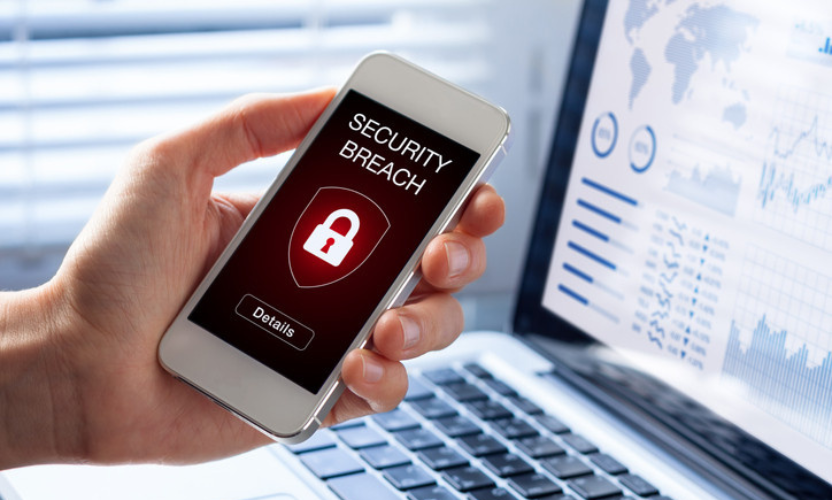
This does not mean every app outside an official store is harmful. However, it does mean the risk rises sharply once you leave trusted app ecosystems.
5. Phone Theft Now Means Data Theft Too
Phone theft is no longer only about losing an expensive device. It can also lead to stolen accounts, exposed passwords, banking access, and identity problems.
Both Android and iPhone now include stronger anti-theft protections. Google offers theft protection tools on supported Android devices, including features designed to lock down access after suspicious theft-like movement or account misuse. Apple’s Stolen Device Protection adds extra biometric checks and security delays when an iPhone is away from familiar locations.
This shows that phone theft in 2026 is also a cybersecurity issue. The device itself matters, but the data inside matters even more.
6. Outdated Software and Unpatched Vulnerabilities
Software updates are still one of the most important parts of mobile security. When users ignore updates, they miss security fixes that protect against newly discovered weaknesses.
Android publishes regular security bulletins because vulnerabilities are found and patched on an ongoing basis. CISA also continues to issue cybersecurity advisories that show how quickly serious threats can emerge.
A phone with old software becomes easier to exploit over time. In many cases, simply keeping your device updated blocks avoidable threats before they turn into bigger problems.
7. Social Engineering and Fraud Tactics
Not every attack involves malware or hacking tools. Many mobile threats now rely on manipulation. Social engineering scams try to create panic, urgency, or confusion so users hand over access by mistake.
These scams often sound like this:
- “Your account has been locked”
- “Your parcel delivery failed”
- “Verify this security code now”
- “Your bank detected suspicious activity”
Android’s safety guidance says the platform is using AI-powered protections against scams, phishing, fraud, and malware, which shows how common these attacks have become.
In other words, many mobile cyber threats succeed because they exploit behaviour, not just technology.
How to Stay Safe From Mobile Cybersecurity Threats in 2026
The good news is that most users can reduce their risk with a few practical habits.
Keep your phone updated. Install apps only from trusted stores. Avoid clicking suspicious text links. Use biometric security and a strong passcode. Turn on theft protection features. Review app permissions regularly. Back up your data. Be careful with QR codes and unexpected attachments.
If you use your phone for work, banking, or sensitive personal accounts, take mobile security even more seriously. Small steps such as enabling built-in security settings and avoiding risky downloads can make a big difference.
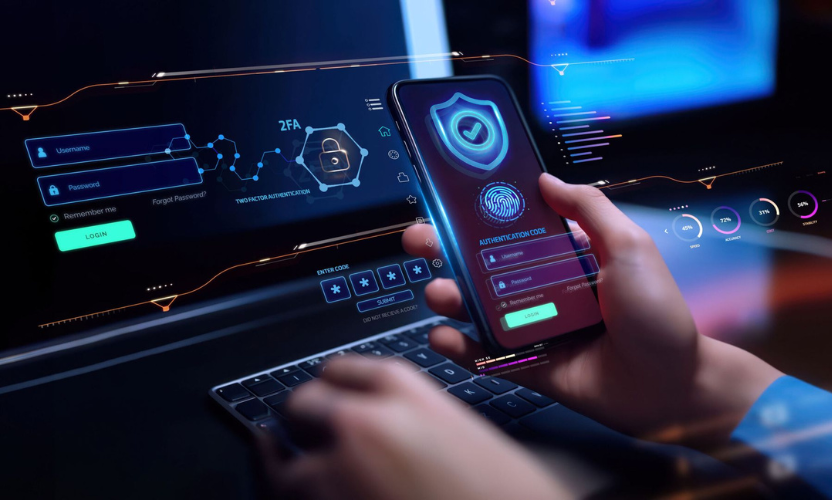
You can also strengthen internal relevance on Mobile Verse by linking this article to related content such as Android 16 features, AI smartphones in 2026, mobile technology trends in 2026, and Samsung Galaxy S26 AI features. These topics fit naturally with mobile safety, software updates, and future smartphone protection trends.
Final Verdict
The biggest mobile cybersecurity threats in 2026 include phishing texts, QR scams, spyware, unsafe apps, phone theft, unpatched software, and social engineering. Some attacks are highly technical, but many still work because they catch users off guard.
That is why mobile security in 2026 is not just about antivirus tools or complex settings. It is also about awareness, habits, and using the protections already built into modern smartphones.
As MobileVerse cybersecurity insights show, phones are becoming smarter, but they are also becoming more attractive to attackers. The best response is to stay updated, stay alert, and treat your smartphone like the personal vault it has become.
Frequently Asked Questions
What are the biggest mobile cybersecurity threats in 2026?
The biggest mobile cybersecurity threats in 2026 include phishing texts, QR code scams, spyware, fake or unsafe apps, phone theft, outdated software, and social engineering attacks.
How can I protect my phone from cyber threats in 2026?
You can protect your phone by keeping it updated, avoiding suspicious links, using strong passwords, enabling biometric security, turning on theft protection, and installing apps only from trusted sources.
Are Android phones more vulnerable to mobile cyber threats?
Android phones are often targeted because of their large user base, but both Android and iPhone users face serious mobile threats. Safe habits and timely updates matter on every device.
Can phishing texts really compromise my phone?
Yes. Phishing texts can steal passwords, payment details, verification codes, or direct you to malicious downloads and fake login pages.
Is public Wi-Fi still risky for smartphone users?
Yes. Public Wi-Fi can still be risky, especially if the network is unsecured or fake. It is better to avoid sensitive logins and financial activity on unknown public networks. CISA’s mobile guidance advises caution with mobile communications and connected services generally.
What should I do if my phone is stolen?
Lock it remotely, use tracking features, contact your mobile provider, change important passwords, and enable theft protection or stolen-device safeguards if available.
Why are mobile cybersecurity threats increasing in 2026?
They are increasing because smartphones now store more sensitive information and control more parts of daily life, which makes them more valuable to attackers. Security agencies and platform providers continue to update guidance and protections in response.


Newsletter